The Latest

The holidays are for rest, relaxation, and eating your weight in cookies shaped like reindeer. Your fitness goals can absolutely wait until the new year. But if you find yourself trapped in a house where someone just said, "well, actually" for the third time in ten minutes, and you need to escape to your old bedroom before you say something you'll regret—here's a quick (and quiet) bodyweight circuit you can do surrounded by your high school participation trophies.

The circuit workout

These are my favorite beginner-friendly exercises to efficiently blow off some steam. Hopefully you have some floor space next to your twin bed.

Tactical door-closed push-ups (10-15 reps)

These are classic push-ups, but you're listening intently for footsteps. Is someone coming to ask why you fled the living room? This adds an element of anxious anticipation that really engages your core. Modify on your knees if needed.

Spite squats (20 reps)

Do some deep squats while internally composing the perfect rebuttal you'll never actually say. Feel the burn in your quads and your self-restraint. Make sure you're pushing your hips back until your thighs are parallel with the floor, looking to keep your knees bent at 90 degrees and in line with your toes. Bonus points if you can do these silently enough that no one downstairs hears the floorboards creaking.

Frustration lunges (10 per leg)

Lunge from your bed to your old dresser (the one still covered in stickers, right?). Consider each lunge as representing a point in the argument you're nobly choosing not to make. You're not avoiding conflict; you're being the bigger person. And getting stronger glutes!

Remember, when you lunge, keep your front knee over your ankle, not your toes. Keep your torso upright and your core engaged.

Diplomatic plank hold (30-60 seconds)

Hold a plank while contemplating how you've become the most emotionally mature person in your family. This is harder than it sounds, both physically and existentially. If you need to drop to your knees after 20 seconds, that's fine—you're still doing better than the conversation downstairs. My top tip for keeping your body in a straight line is to engage your glutes more than you might think.

Passive-aggressive mountain climbers (30 seconds)

Quick, quiet mountain climbers that let you burn off steam without making enough noise to alert anyone that you've rage-quit the family gathering. Imagine you're running away from the discussion, but in place, silently, on your childhood floor.

Peacekeeper glute bridges (15-20 reps)

Lie on your back (hey, you're already thinking about taking a nap anyway), feet flat, and lift those hips. Each bridge is you rising above the drama. You're literally elevating yourself. Metaphorically and gluteally.

Zen bicycle crunches (20 total)

Finish with bicycle crunches while pretending you're pedaling away from this entire situation. Alternate elbow to opposite knee and find your center.

Cool down

Sit on the edge of your too-small bed, breathing deeply, feeling virtuously exercised and only slightly guilty for abandoning your family. Check your phone. Consider going back downstairs. Hear a raised voice mention "fake news" or "snowflake" or whatever the discourse is today. Do another round.


from Lifehacker https://ift.tt/dw4T7KI

We may earn a commission from links on this page.

When you're using devices that are always connected to the internet, it's difficult to completely protect your privacy. Luckily, there are plenty of great privacy hacks for your iPhone, which you can use to make it hard for trackers and spies to collect your data and snoop on your business. From built-in solutions, like adjusting app permissions, to purchasing privacy screen protectors, here are 10 hacks every iPhone user should consider to protect their privacy.

Get yourself a privacy screen protector

No software privacy hack can protect you from people looking over your shoulder to memorize your password, or from peeking to see what you're up to. What can protect you, however, is a privacy screen protector. I saw this first-hand: One of my friends recently tried to show me something on her iPhone, and I realized that I couldn't see anything at all until her phone was directly in front of me.

These screen protectors can make it easier to use your phone in public spaces without worrying about who's looking at its screen. That said, there are a few potential dealbreakers. These screen protectors are rather plasticky, and don't feel as nice or smooth as your iPhone's touchscreen. These products also lower your screen's brightness. I don't mind, but it can be a problem if you're trying to use your phone in bright lighting. If you can live with these cons though, this is a cheap privacy hack that's definitely worth considering.

Stop Apple from collecting your data (as much as you can)

Privacy settings on an iPhone.
Credit: Pranay Parab

Apple is known for its privacy policies, but in recent years, its resolve seems to be weakening a bit. The company is pushing ads into its apps and your notifications, and it's aggressively encouraging iPhone users to subscribe to Apple services. There's not much you can do to block promotional materials coming from the company directly, but it's still worth changing a few settings to limit Apple's own ads. This includes reducing Apple's data collection, too. Many of these options are available under Settings > Privacy & Security on your iPhone. On that page, you can navigate to these pages to disable quite a bit of tracking:

  • Analytics & Improvements

  • Apple Advertising

  • Location Services > System Services

Carefully reviewing all options on these pages and disabling unnecessary features goes a long way in limiting Apple's data collection.

Deny (or limit) app permissions whenever you can

I used to allow all permissions an app requested when I first opened it. Over time, I realized that this led to a lot of notification spam, unnecessary data collection, and significant battery drain if the app was tracking my location. That's why I developed a new strategy: deny all permissions unless an app absolutely needs it. In general, I almost always deny permission to send notifications, access to contacts, location, camera, microphone, and photos.

Newer versions of iOS allow you to share just a few contacts or photos, and even restrict GPS access to an approximate location instead of a precise marker. All of these are available under Settings > Privacy & Security in case you missed them while setting up an app.

Consider deleting apps known to track you

While the App Tracking Transparency option on your iPhone does reduce data collection from many apps, it's far from foolproof. In general, apps have access to far more data than their web versions, so if you can, you should try switching from apps to mobile websites wherever possible. If you delete apps such as Instagram, Facebook, or TikTok, and switch to logging in via Safari, you'll give away much less data, and some of the data you would otherwise give to the web apps will be blocked or spiked by Safari's privacy features, further protecting your data. As an added bonus, since web apps are generally a worse experience than dedicated apps, you're also far less likely to fall into a doomscrolling trap. I've used this fairly effectively with social media apps, but you can't always delete apps, like WhatsApp.

Install an adblocker (or use a better DNS)

uBlock Origin in Safari on a Mac
Credit: Justin Pot

Installing an adblocker and a DNS app can do wonders for your iPhone privacy. Adblockers such as uBlock Origin are pretty good at blocking invasive tracking on your iPhone, but their effect is limited to Safari. To enhance the privacy of your internet traffic, you should consider installing an encrypted DNS app such as NextDNS, AdGuard DNS, or ControlD. All of these will block ads or trackers in most apps on your iPhone and safeguard you from some types of online security threats as well.

Safety Check is a must-have

Everyone should be using Safety Check on iPhone. This feature immediately lets you identify who you're sharing what with, including passwords, fitness activity, your current location, calendars, notes, and other data. To check on it, head to Settings > Privacy & Security > Safety Check > Manage Sharing & Access. You can go through the prompts to review app permissions, and set up an emergency contact, which ensures that your data (and you) are safe. While you can manually access all these options in the Settings app, the Safety Check prompt lets you find all features without combing through multiple pages, which will save you a lot of time.

A password manager is a great privacy tool

Apple Passwords on Mac
Credit: Lifehacker

A good password manager is also a must. Free password managers, such as the built-in Passwords app or BitWarden allow you to create unique, strong passwords for each website, which makes it far less likely to compromise your accounts. You can also use these apps to store your two-factor authentication codes to add an extra layer of security to your accounts.

Even better, these apps can manage passkeys to help you log in to your online accounts. Passkeys eliminate the need to remember passwords, and are far more resistant to phishing attacks that could compromise your accounts. For more information on passkeys, check out our full guide here.

Encrypt your data backups responsibly

You should strongly consider enabling encryption on your data backups. This includes your iCloud Backup, and backups of your messaging apps such as Telegram or WhatsApp. Encryption makes it far less likely for an unauthorized party to read what's on your iPhone, as the data is totally scrambled without the key—which, in this case, is either your password or PIN. However, this is also where the danger lies. If you forget your backup password, even you won't be able to access the backup to restore data if you need to. Again, use a password manager to store these passwords so you'll never really forget.

Remove identifying information from social media photos

This isn't necessarily an iPhone privacy tip as much as it is a general privacy hack, but it's worth mentioning. These days, trackers and hackers effectively use social media posts, photos, and videos to profile you. While there are plenty of steps you can take to limit the data you share on social media, you might not know you can remove identifying data from photos you post online. "Exif" data includes a host of stats about the hardware that took the image, including your camera make and model, shutter speed, focal length, and, perhaps most importantly, location. You don't have to avoid sharing photos to protect this data, however: just remove the exif data before posting.

Lockdown Mode protects you from extreme attacks

Most people are never going to need to use Lockdown Mode, because it's designed to protect your data when it's under attack from government surveillance or from espionage. That said, it's still worth knowing about this tool in case you ever face a cyberattack or if you suspect that your iPhone has been infected with spyware. Lockdown Mode disables message attachments, links and link previews, most incoming FaceTime calls, many Apple services, certain web technologies and fonts in Safari, and many other features.

I repeat that this level of extreme protection is unnecessary for most people, but if you do need it one day, you can go to Settings > Privacy & Security > Lockdown Mode to enable it.


from Lifehacker https://ift.tt/AuB6V3D

My Neato D5 Connected was once a willing workhorse, but, today, things aren't looking so good. I recently caught an email from the company alerting me that it shut down my vacuum's cloud servers. Now, my once capable Neato is just a LiDAR-equipped vacuum with a soul that's been deprecated. Without cloud servers, the "smart" is gone.

This could be the lobotomized future awaiting Roomba users. Earlier this month, the company behind the pioneering smart vacuum, iRobot, filed for bankruptcy. The remainder of the business will go to its primary manufacturing partner—the one it owes all that money to—Shenzhen Picea Robotics. It's a stark reminder that the longevity of a connected smart device depends entirely on the financial health of the company that made it.

I'm not giving up, however. I'm now attempting to get the Neato D5 back into business. Whether you have a Neato, a Roomba, or another robot vacuum approaching the end of its connected, you can mirror my steps to keep your device cleaning.

Switch your robot vacuum to manual

A screenshot of the email Neato send out
The email that Neato sent out during Thanksgiving week letting me know my robot vacuum was done for. Credit: Florence Ion/Lifehacker

Following the above email, I tried earnestly to get the Neato back online and back into a routine. I ended up reviving my original account by some miracle, though I have absolutely no access to the vacuum via the app as it currently is.

Luckily, there is already a community of folks working to restore the cloud service that once enabled Neato's robot vacuums to schedule themselves. Neato-connected lets you use Home Assistant to manage the brand's devices without the cloud. This is the best choice for experts if the goal is to revive the robot vacuum to its full capacities.

Neato has already said that the robots will continue to work manually. The D5 has LiDAR, so it can still physically "see" its way around a floor plan. And although you can't schedule the device or remotely control it, you can still get up and push a button to start a cleaning session. If you want to be super extra, Switchbot makes an affordable button-pushing gadget you can install near the vacuum dock to trigger it from your phone, essentially "hacking" a remote start.

The other headache of trying to keep old hardware from going extinct is figuring out if its parts and mechanics still work. My Neato D5, for example, still hasn't successfully managed a manual cleaning session. After some troubleshooting, which involved several factory resets, disconnecting and reconnecting the battery, and cleaning debris from all the sensors, it turns out that one of the LiDAR turrets—the hat on top—needs a fix. The vacuum won't start until that's addressed, since it literally can't navigate without that system spinning at a precise speed.

The Neato D5 is going to require some surgery. I am either going to fix it by stabilizing a band, or buy a replacement part from eBay and have someone more tech-savvy help with the install. There's always the option to donate it to a better cause, too. Rather than hold on to an eight pound paperweight rotting away in the utility closet, it can get a second life with a local robotics group, since Neato vacuums have a reputation for being highly scrappable due to their laser sensors.

A photo of the Neato D5 flashing red and green
Until I get the Neato D5 serviced, it will not manually clean. Credit: Florence Ion/Lifehacker

Even cheaper robot vacuums, like an Ecovacs, can find a second life this way. While they aren't as easily "hackable" as Neato (or a Roomba), there are plenty of high school robotics teams that can disassemble the devices to retrieve motors and wheels.

Never throw a robot vacuum into the trash. If the device is truly dead and unusable for parts, look into responsibly recycling the Lithium-ion battery as well as the plastic and metal shell with an e-waste recycler.  

Preparing for the end of Roomba

If you own a Roomba, you aren't offline yet. iRobot is currently undergoing a restructuring, and the company has stated that app functionality and firmware updates will continue as usual. But inevitable change is coming if Neato's trajectory is any indication. We don't know exactly how Roomba's business will go now that it has changed ownership. Existing Roombas rely on the cloud for much of their flagship functionality, like Smart Maps, which help with specific room targeting. Losing the ability would be a major blow to the hardware's legacy.

You should prepare for what's to come, even if it involves a little over-preparing. Stockpile replacement parts now, while they're still available. Although Roomba's manufacturer has taken over the business, older models will fall by the wayside as a new generation of robot vacuums is introduced. If you want to get a few more lives out of your Roomba, buy at least a two-year supply of authentic, first-party brushes, rollers, and HEPA filters. Skip the third-party stuff.

You'll also want to invest in Roomba's dual-mode virtual wall barriers. Buy them used on eBay. These will come in handy if Roomba's servers ever go offline, since they act as infrared lighthouses to help direct the Roomba's path. You'll be able to use these with Roomba's "Clean" button, its manual mode that doesn't require the internet to start. You'll also want to look into downloading your Smart Maps, in case you can integrate them later.

If that isn't enough for you, there is a vibrant community of tinkerers who have long been dedicated to liberating Roombas from the clutches of the cloud. Projects like rest980 and dorita980 let tech-savvy users host their own local control servers, though this often involves a third-party device such as a Home Assistant hub.

Ending the e-waste cycle

History tends to repeat itself in the gadget world. You can at least future-proof your buying decision by recognizing that obsolescence is a possibility down the line. This applies to any connected gadget, from big-name brands to small ones.

Matter, the smart home specification that's been quietly rolling out over the past few years, will be more helpful for aging smart gadgets like this, especially since its latest release. It now enables local smart-home control for robot vacuums, so you don't need a cloud service to connect. The vacuum talks directly to your phone or smart hub instead. There are also brands like Roborock that advertise that their robot vacuums have local-only modes. You can even install another community-managed project, Valetudo, on those brands and go completely corporate-free.

Or, you could go offline. Most connected home gadgets have variants that use a physical remote control instead. Eufy still makes versions of its robot vacuums without wifi, with no cloud features to worry about going extinct.

I'm waiting before I buy eBay parts for the Neato D5 Connected. I need to see if I can fix what's broken with some finagling. It's a bummer I didn't think of preparing for the end of the device's life earlier—like when Neato's parent company announced its eventual shutdown two years ago—to give it a second life and save it from abject hardware failure. If all else fails, I can find it a good home with a robotics team or educational program that can put its parts to good use. I will have considered that a well-lived life for a connected gadget.


from Lifehacker https://ift.tt/IUyAh4n

After twenty-six years, Microsoft is finally upgrading the last remaining instance of the encryption algorithm RC4 in Windows.

of the most visible holdouts in supporting RC4 has been Microsoft. Eventually, Microsoft upgraded Active Directory to support the much more secure AES encryption standard. But by default, Windows servers have continued to respond to RC4-based authentication requests and return an RC4-based response. The RC4 fallback has been a favorite weakness hackers have exploited to compromise enterprise networks. Use of RC4 played a key role in last year’s breach of health giant Ascension. The breach caused life-threatening disruptions at 140 hospitals and put the medical records of 5.6 million patients into the hands of the attackers. US Senator Ron Wyden (D-Ore.) in September called on the Federal Trade Commission to investigate Microsoft for “gross cybersecurity negligence,” citing the continued default support for RC4.

Last week, Microsoft said it was finally deprecating RC4 and cited its susceptibility to Kerberoasting, the form of attack, known since 2014, that was the root cause of the initial intrusion into Ascension’s network.

Fun fact: RC4 was a trade secret until I published the algorithm in the second edition of Applied Cryptography in 1995.


from Schneier on Security https://ift.tt/SfL6vtW

When Spike Jonze's movie Her dropped back in 2013, I thought it was a great work of total fiction. Who would actually befriend an AI bot, let alone fall in love with them? Fast forward 12 years, and I couldn't have been more wrong. Not only do people love chatting with AI bots, they are actually developing deep connections with them. I still don't get it, but I can't deny it: People like these chatbots a lot.

Part of what people like about conversations with generative AI is the "personality" of each bot—or, at least, its perceived personality. After all, ChatGPT isn't a monolith: You can adjust the bot to sound wildly different than it does on someone else's app, which raises some questions for me regarding these curated companions. But I digress: This article isn't necessarily a critique of how people are attaching themselves to ChatGPT; rather, I'm sharing the news that OpenAI is now giving you more control over how the bot sounds and responds in your conversations.

Curate your perfect AI companion

On Friday, OpenAI announced new controls for ChaGPT's "Personalization." In a post on X, the company revealed that users can now adjust their chatbot's "characteristics," or, in other words, its overall personality. These are adjustments to the personality types that OpenAI has already let you choose from, which include one of eight options: "Default" (preset style and tone); "Professional" (polished and precise); "Friendly" (warm and chatty); "Candid" (direct and encouraging); "Quirky" (playful and imaginative); "Efficient" (concise and plain); "Nerdy" (exploratory and enthusiastic); and "Cynical" (critical and sarcastic).

But no matter which of these personalities you pick, you now have four "characteristics" to adjust to fine-tune the overall experience. There's "Warm," "Enthusiastic," "Headers & Lists," and "Emoji," with the option to have more or less of each, or the default amount, as OpenAI sees fit. For Warm, you can either have ChatGPT be friendlier and more personable, or more professional and factual. With Enthusiastic, you can choose the bot to have more energy and excitement, or be calmer and more neutral. "Headers & Lists" lets you choose between clear formatting and lists, or more paragraphs. And, of course, you can control whether ChatGPT uses more emoji, or fewer, depending on your sense of fun and joy.

As usual, you can take advantage of custom instructions to guide ChatGPT's personality in a direction you like, especially when the presets don't give you those options. For example, if you'd like ChatGPT to talk to you like a pirate, or if you want it to end every response with a certain catchphrase, here's your chance to influence the bot.

I'm really not someone who uses ChatGPT outside of testing it for coverage, so I can't speak to whether these additional controls are useful. But if you want to try making your version of ChatGPT your ideal "AI companion," the controls are at your disposal. You'll find these options wherever you access ChatGPT. You can either access it from Settings > Personalization, or from the Personalization shortcut in the ChatGPT menu.


from Lifehacker https://ift.tt/aGQns4N

Scammers frequently target shoppers who are looking for a good deal or a rare find (or both). As holiday sale season winds down, the Better Business Bureau is warning buyers about a scheme in which fraudsters charge you for "out of stock" goods and fail to refund your money.

The out-of-stock purchase scam is simple: After you buy a product online, scammers send you a notification that said item is no longer available, cancel your order, and tell you that you'll get your money back. Obviously, the refund never arrives, and no one ever responds to further inquiries.

As the BBB points out, in most cases, the item you thought you bought probably never existed in the first place—rather, scammers are selling fake stock, charging customers, and vanishing in hopes you won't notice that you didn't receive your refund. Some consumers who submitted reports to the BBB Scam Tracker said that they did receive products, but items were of poor quality or not what they ordered, and no refund was ever issued.

Spot out-of-stock purchase scams

These fake purchase schemes may have the usual red flags, like prices that are too good to be true, especially those promoted on social media. Personalized items are ripe for scams, as are hard-to-find products or collectibles. If you find an amazing deal from a company or seller you don't recognize, search the name with "scam" and read reviews on Google and Reddit to identify patterns of suspicious activity (or poor-quality products).

You should also be wary of websites that aren't secure—those that don't start with HTTPS or have a lock icon in the browser bar—as these are more vulnerable to hackers looking to intercept credit card info and other personal data. Legitimate vendors collect payment securely.

Shop with a credit card

Shopping scams are a good reason to use a credit card for online purchases, as they offer protection against fraudulent charges. If you don't receive a refund from a seller, you can file a chargeback—while this isn't as simple or swift a process, it is likely you'll get your money eventually.

Always keep receipts, order confirmations, and any communication with sellers in case you need to make a claim for a scam purchase.


from Lifehacker https://ift.tt/kdDl7RV

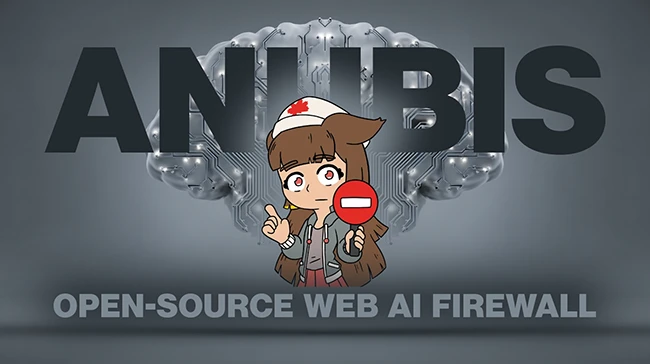
Anubis is an open-source tool designed to protect websites from automated scraping and abusive traffic by adding computational friction before a request is served. Maintained by TecharoHQ, the project targets a growing problem for site operators who want to keep content accessible to humans while limiting large scale automated collection.

AI firewall

At its core, Anubis acts as a gatekeeper that sits in front of a web service. When a client connects, the tool can require the browser to complete a small proof of work task before access is granted. The idea borrows from older anti spam concepts, where sending a message carried a minor computational cost that was trivial for individuals and expensive at scale. In the web context, this approach raises the cost of bulk scraping while remaining manageable for normal visitors.

The challenge is delivered through JavaScript and runs in the client’s browser. Once completed, the browser receives a token that allows subsequent requests to pass through without repeating the work each time. Site operators can tune how demanding the challenge is, which allows them to balance protection with usability based on their own traffic patterns and risk tolerance.

Anubis is positioned as a reverse proxy. It sits between users and an origin service, forwarding requests once the challenge conditions are met. This deployment model makes it possible to add Anubis without rewriting an existing application. Configuration is handled through simple files that define how challenges are issued and which routes or clients receive them.

The project documentation emphasizes control and transparency. Operators can choose when challenges apply and when traffic should pass through without interruption. This supports common operational needs such as allowing trusted services, health checks, or internal users to connect without extra steps. Logging and metrics provide visibility into how often challenges are triggered and how clients respond.

TecharoHQ created Anubis in response to sustained automated scraping that placed heavy load on community run sites. The maintainers describe the tool as a practical response to a specific operational problem, not a general purpose security platform. That focus shows in the design, which stays narrow and avoids bundling unrelated features.

From a security perspective, Anubis does not attempt to identify or classify bots through behavioral analysis or reputation feeds. Its protection model relies on economics. Each request carries a cost, and large scale automation becomes expensive over time. This makes the tool predictable and easier to reason about for administrators who want simple controls.

Anubis is available for free on GitHub.

Must read:

Subscribe to the Help Net Security ad-free monthly newsletter to stay informed on the essential open-source cybersecurity tools. Subscribe here!


from Help Net Security https://ift.tt/Y5PRTip