Friday, January 30, 2026

OpenAI Is Killing ChatGPT-4o (Again)

https://enterprise.shutterstock.com/image-photo/openai-logo-displayed-on-smartphone-screen-2520388517

or

https://enterprise.shutterstock.com/image-photo/chatgpt-logo-displayed-on-smartphone-screen-2520385879

Last August, ChatGPT developers OpenAI unceremoniously killed the fan favorite GPT-4o model, before giving in to complaints and bringing it back a week later. Now, the company's taking a second swing at getting its users to move on. In a new post to its website, OpenAI announced that it's retiring GPT-4o again.

The model's set to disappear from ChatGPT's model picker on Feb. 13, alongside other older models like GPT-4.1, GPT-4.1 mini, and OpenAI o4-Mini. And OpenAI is clearly nervous about the decision.

"While the announcement applies to several older models," OpenAI wrote, "GPT-4o deserves special context."

According to the company, it has taken user outcry over the initial deprecation of 4o to heart while developing its newest models, GPT-5.1 and GPT-5.2, and has built these models with the idea of maintaining the features fans liked best about the old model. The company says that now "only 0.1% of users" opt for GPT-4o on a daily basis.

As such, the company wants to focus on "improving the models most people use today," which apparently means removing older ones. "We know that losing access to GPT-4o will feel frustrating for some users, and we didn't make this decision lightly," the post reads.

What's the big deal with GPT-4o?

So, what's with OpenAI treating its users so gingerly, especially when GPT-4o is a few generations behind, and there are newer models that supposedly do everything it does, but better?

Well, when GPT-4o was first deprecated, people weren't happy. Users called its successor, GPT-5, "an unmitigated disaster," and accused OpenAI of pulling "the biggest bait-and-switch in AI history."

Some criticized the model's usefulness, saying it got answers wrong and broke code, but what maybe stuck out the most was people calling out its more concise tone.

GPT-4o has been called "sycophantic" by critics, something the company addressed and said it wanted to pull back on in future updates. But I guess one person's "yes man" is another person's "active listener." When the company initially pulled GPT-4o, users complained that its replacement was cold and felt less like a "friend." Even OpenAI acknowledged this, saying in today's post that users "preferred GPT-4o's conversational style and warmth."

In short, in the words of 4o-supporters themselves, they were "grieving" the model.

Is GPT-5.2 a good replacement for 4o?

That said, with so many users now seeming to have moved on from 4o, OpenAI's decision does seem understandable on the surface. Personally, one of the things that drives me away from AI is how much reassuring filler text seems to fluff up most answers ("you're absolutely right" and such), seemingly just to make me feel good about myself. More concise, to-the-point responses would be a little less off-putting for me.

To try to split the difference, OpenAI reworked its Personalization feature in GPT-5.1, so users can simply choose how the chatbot will treat them. There are options for more professional responses, more nerdy ones, more efficient ones, and for those who want that active listener style, more friendly ones.

Going by OpenAI's numbers, that seems to have been enough for most people, but there are still some calling foul at the company's new announcement.

GPT-4o loyalists are still out there

In a Reddit thread responding to OpenAI's new posts, users doubted that the 0.1% number for 4o was accurate, saying that prompts have been "rerouting to 5.2 no matter what" and that "something somewhere in their calculations doesn't add up." Others pointed out that free users can't use GPT-4o and that it's not enabled by default, which will naturally juice the numbers against it.

As such, calls to cancel ChatGPT subscriptions are once again circulating amongst 4o's more dedicated fans. In a popular thread on the OpenAI subreddit, one user called 4o "OpenAI's most advanced and beloved model," and praised its "personality, warmth, and consistency," saying that its fans have built long-term project and "emotional support routines" around it, and that suddenly losing it without even the option for a legacy mode "feels abrupt and deeply disappointing."

"This isn't about resisting innovation," the post writes. "It's about respecting bonds users have formed with specific models."

Whether the fan outcry will work again remains to be seen. However, as ChatGPT chief Nick Turley has previously looked at those kinds of bonds with skepticism, and because keeping old models in operating condition probably takes developer resources away from making new ones, I wouldn't count on it.


from Lifehacker https://ift.tt/mA5E0Ns

10 Hacks Every Safari User Should Know

If you're the kind of person who only uses Safari to download Chrome, you need to think again. For a Mac user, Safari might be the best browser there is (yes, even better than Chrome). It's fast, secure, doesn't buckle under most loads, sips RAM instead of munching through it, and it'll help your battery last longer as well. And yes, there are even extensions and ad blockers that work natively in Safari.

It's time to take another look at Safari, and use all its hidden features and smarts to make your browsing better.

Blast away ads and other distracting items

Hide distracting items in Safari
Credit: Khamosh Pathak

When this feature came out, it became a bit of a meme on TikTok. In case you haven't heard, Safari has a new Hide Distracting Items feature that can zap pretty much anything on a webpage out of existence. You'll find in the page options menu (the - icon to the left of the address bar). After activating it, try clicking on a popup menu, autoplaying video, newsletter box or pretty much anything else. It'll be banished from your screen, and there will even be a little animation showing it disappearing like it's just been snapped by Thanos. And Safari will remember your snap, so it won't show up the next time you visit that site on your Mac, or even your iPhone or iPad. And if you're feeling more like Iron Man, yes, you can cancel your snaps.

Give Safari a decent ad blocker

wBlock ad blocking
Credit: Justin Pot

For ad blocking, Firefox and Chrome have the uBlock Origin extension. Then there are browsers like Brave and Opera, which come with ad-blocking built-in. Safari has always suffered in this regard. There was never really a true alternative to uBlock available for Safari. There is a version of uBlock Origin for Safari, but it doesn't use Safari's own framework for ad-blocking, so it suffers when it comes to performance and blocking capabilities.

But now it seems like there's finally a decent alternative, called wBlock. I've been using it ever since my colleague, Justin Pot, wrote about it, and I am happy to say that it finally makes Safari's ad-blocking experience on par with some of the bigger browsers. And the best part? wBlock is free and open-source.

Embrace tab groups and the sidebar

Tab Groups and Vertical Tabs in Safari
Credit: Khamosh Pathak

Before development was suspended, I loved the Arc browser. But ever since the company shut it down, I have become jaded, and I haven't really started using alternatives like the Zen Browser. The biggest features I miss from Arc are the workspaces and vertical tabs. But now, Safari has those too. In Safari, you can now create Tab Groups, which can contain as many tabs as you want. I use these as my workspaces. One group for reading long articles, another for travel research, and so on.

And while I'm in a tab group, I also like to do it with the sidebar open (click the Sidebar button next to the Back and Forward buttons), which gives me a vertical-tabs experience similar to Arc's. It isn't exactly like Arc, because the horizontal tab bar up top doesn't disappear. But having a vertical list of tabs still helps. So does the fact that Tab Groups sync with my iPhone and iPad, so I can pick up my research there as well.

To create a new tab group, click the New Tab Group button at the top of the sidebar. Or you can select multiple tabs, right-click, and choose the Move to Tab Group > New Tab Group option. On the iPhone, open the tab switcher, tap the Menu button from the top, and choose New Empty Tab Group to get started.

Master Safari's new design for iPhone

Long press menu in Safari
Credit: Khamosh Pathak

Safari was one of the few apps that saw a major design update in iOS 26, with a redesigned bottom bar. Lifehacker has a detailed guide on all the new hidden gestures and features in Safari's iOS 26 redesign, but I'll highlight some of my favorites here.

  • Swipe to switch tabs: To quickly switch between tabs, just swipe left or right on the address bar.

  • Press and hold the address bar: A lot is hidden here. You can copy a link, paste from your clipboard, switch to another tab group, close tabs, or close all tabs.

  • Swipe up on the address bar: Swipe up on the address bar to reveal all open tabs. From here, you can swipe left or right to switch between tab groups. From the top menu, you can copy links for all open tabs with ease.

  • Pin tabs: Tap and hold a website from the tabs screen, and choose the Pin Tab option to pin the website to the top of your browser.

Bring back the iPhone's old tab bar

Old toolbar in Safari
Credit: Khamosh Pathak

If you don't like the iPhone's new compact tab bar or its gestures, you can still go back to the way things used to be. Go to Settings > Apps > Safari > Tabs. Switch to the Bottom option to bring back the expanded bottom toolbar, or to go further back in time, go with the Top option.

Lead separate browsing lives using Profiles

Start page for a new Profile in Safari
Credit: Khamosh Pathak

It's not as obvious as in Chrome, but Safari also has profiles that sync between iPhone, iPad, and Mac. You can use Profiles to keep your work and personal lives separate. This can also be useful if you and your spouse use the same Mac.

Profiles will fully separate your browsing from other users, including logins, cookies, browsing history, tab groups, favorites, and even extensions.

To set one up for Safari on Mac, go to Settings > Profiles. On the iPhone, go to Settings > Apps > Safari > Profiles and tap New Profile. Give it a name, and make sure to pick an icon and color. This will tint the background of the start page, so it'll find it easier to know which profile you're in.

Turn your favorite sites into apps

Spotify website running as a Safari app
Credit: Khamosh Pathak

On Mac, you can use Safari to turn any frequently used website into an app of its own. It will show up in the Dock and the app-switcher. It's still the same website, but it will have its own shortcut on your Mac's interface, making it easier to use. If you use your Mac for retail, or any kind of specialized work that happens via a website, this can be really handy.

To do this, visit a website, click the Share button, and click Add to Dock. Your logins will sync automatically, and so will your extensions. The toolbar will be colored based on the website colors as well.

You can also do this on iPhone, by navigating to a site, tapping the Share button, tapping More, and tapping Add to Home Screen. The website's logo will show up as an "app" on your home screen, and it'll act as a shortcut to the site.

Automatically close open tabs

Automatically close tab in Safari
Credit: Khamosh Pathak

I love opening tabs, but I hate closing them. That means it's easy for me to hit the 500 tab limit in Safari. So I enabled the option that automatically closes tabs that are older than 30 days. You can do this by going to Settings > Apps > Safari > Close Tabs. You can choose between one day, one week, or one month.

Listen to a page out loud

Listen to Page in Safari
Credit: Khamosh Pathak

You might be familiar with Safari's Reader Mode, which is perhaps the best in the business. But there's another feature hidden in the Page Settings option. Tap the Listen to Page button, and Safari will instantly start reading the site you're on out loud. Before doing this, though, I would recommend you switch to Reader Mode first, so the text-to-speech doesn't get caught on ads or other distractions.

Customize or change the Safari start page

Customizing the start page in Safari
Credit: Khamosh Pathak

Every time you open Safari, or a new tab, you see the browser's default start page. Let's take some time to customize just how it looks and works. First, open the start page, then click the Edit button in the bottom-right corner to enable or disable which sections you want to see. I suggest adding sections for your Favorites, Reading List, iCloud Tabs, and Recently Closed Tabs. You can also change the background to any color that you like.

If you don't like an overloaded start page, you can also try out the Bonjourr Safari extension. It's a start-page replacement that I've used for months now. It automatically cycles between serene backgrounds while showing the time and weather. You can add quick shortcuts for your frequently visited sites, too. It's also fully customizable, and looks great on iPhone as well as Mac.


from Lifehacker https://ift.tt/QpHUqZD

These Sweat-Proof JBL Earbuds Are 25% Off Right Now

We may earn a commission from links on this page. Deal pricing and availability subject to change after time of publication.

The JBL Endurance Race 2 is built with a specific user in mind, and it does not pretend otherwise. These are sports earbuds first, and that focus shows in the design and the trade-offs. Right now, they’re $59.95 on Amazon, down from $89.95, which makes them easier to consider if you want something tough without paying premium prices.

The earbuds themselves are large and stick out more than most, but the silicone wing design works. You twist them into place, and they lock in. During runs, strength training, and high-sweat workouts, they stay put in a way many smaller earbuds do not. If fit security has been your frustration with workout earbuds, this alone may be enough to justify a look.

The earbuds carry an IP68 rating, which means they’re dustproof and can handle heavy sweat and rain without concern. They are not designed for swimming, but they are tougher than almost anything else near this price. The charging case is less impressive. It’s light at about 1.4 ounces but bulky, and the IPX2 rating means it’s fine inside a gym bag but not something you want exposed to bad weather.

Battery life, however, is a strong point. You get up to 12 hours with noise cancelling off, around 10 hours with it on, and up to 48 hours total with the case. That’s enough for a full week of workouts without needing to think about charging.

These aren’t high-end earbuds, and it shows in the lack of crispness in higher frequencies. Bass is solid and punchy enough for workout playlists, but detail takes a backseat. As for its ANC, it works fine indoors, like in a gym or while commuting, but it reportedly doesn’t hold up well outside, where traffic and footfalls still break through. Ambient mode also falls short. It doesn’t let in enough sound for confidence near busy roads, and wind noise can become distracting. Controls are touch-based and can be customized in the app, but they don’t always respond well to sweaty fingers or gloves.

These earbuds are not for people chasing refined sound or top-tier noise cancelling. They are for people who want a secure fit, long battery life, and gear that can take a beating.

Deals are selected by our commerce team

from Lifehacker https://ift.tt/4mTu5Yq

Thursday, January 29, 2026

Strava Finally Brought Route Navigation to the Apple Watch

Big news for runners with an Apple Watch: You can now follow Strava routes directly from your wrist. Route navigation on Strava-compatible watches isn't exactly new technology—it's just been inexplicably absent from Apple's platform until now. In a Reddit post from Strava's product team, the news was welcomed by runners, cyclists, and hikers who've long wondered why their Apple Watch couldn't do what Garmin and Coros devices have offered for years.

What's new with Strava's Apple Watch app

The core update here is users can now view maps directly on their Apple Watch during activities, seeing both where they're headed and how to backtrack if they take a wrong turn. For subscribers, saved Routes work hands-free and function offline, eliminating the need to pull out your phone mid-run or mid-ride to check directions.

To access routes directly on your watch, press the Route icon while selecting the Sport Type that you’ll record.  Once you’ve selected the saved route you want to follow, the activity will start recording. 

To then access the map while in the middle of recording your activity, simply swipe up on your watch face. Once on the map screen, you will be able to follow your live location and, if added, your saved route. To zoom or pan the map, tap the watch face to unlock interactive mode. If you want to turn back to your Stat screen, tap the back icon or use the watch scroll button.

Alongside route navigation, Strava added two more training features:

  • Custom Laps let you mark intervals with a single tap, useful for tempo runs, hill repeats, or comparing efforts against your previous performances.

  • Live Segments provide real-time feedback when you hit a tracked segment. Subscribers can see whether they're ahead or behind their personal record as it happens, while all users get live progress updates.

As always, you can also turn to route suggestions that draw from Strava's massive activity database full of actual paths that real users have tested and preferred.

The bottom line

For Apple Watch users who've grown accustomed to working around Strava's limitations, this update rocks. Less phone checking means more attention on the road, trail, or effort itself.

Maybe it's taken longer than it should have, but Apple Watch users are finally caught up. Whether that's enough to satisfy those who've already migrated to other platforms remains to be seen, but for the loyal holdouts, it's about time.


from Lifehacker https://ift.tt/8p1lEub

Druva Threat Watch offers continuous threat monitoring of backup data

Druva announced the launch of Threat Watch, a zero-touch, automated cloud-native solution for proactive threat monitoring of backup data. Threat Watch is designed to continuously scan backup snapshots to identify dormant threats and indicators of compromise (IOCs), empowering IT and security teams to take action faster and validate a path to clean recovery.

Security strategies recognize that some threats will slip past primary defenses, which makes it critical to understand the data impact for incident response and cyber recovery. Because backups reflect production systems, they provide a clear signal for assessing impact and identifying clean recovery points.

Threat Watch is designed to deliver continuous, peace-time monitoring of backup data and complements threat hunting activities that typically ramp up during an incident. As standards like DORA and SEC disclosure rules tighten reporting timelines, Threat Watch helps teams assess impact faster and prove data integrity.

“Cyber resilience isn’t just about having a copy of your data, it’s about the certainty that you can recover without reinfecting your environment,” said Yogesh Badwe, Chief Security Officer at Druva. “Threat Watch brings a peace-time proactive monitor to what has historically been a war-time manual forensic process. With this new capability, we are giving customers the forensic evidence they need to meet strict regulatory windows and have clearer proof of what is safe to restore when the business is under pressure.”

Proactive security with zero infrastructure

Built on Druva’s cloud-native architecture, Threat Watch scans backup data in the Druva Data Security Cloud, outside production environments and without requiring additional hardware or agents. This scan in-place approach avoids the delays of moving data to separate security tools and enables Druva to offer the industry’s only Data Movement Latency SLA. As a result, detection occurs in near real-time without impacting production performance or increasing infrastructure costs.

“Reporting timelines are getting tighter, and that puts pressure on teams to confirm what was impacted and what is safe to restore,” said Yong Jie Tan, IT Infrastructure Manager, at Woh Hup. “Threat Watch gives us ongoing visibility into backup health and the evidence we need to support both recovery decisions and audit requirements. It helps reduce uncertainty during an incident and strengthens our overall resilience posture.”

Key benefits and outcomes of Threat Watch include:

  • Curated IOC library: Uses a curated and customer-configurable IOC library, including indicators from CISA, Google Mandiant Threat Intelligence, and Druva ReconX Labs, with support for customer-provided IOCs via upload or API.
  • Early threat visibility: Continuous scans help minimize breach duration by identifying dormant threats in backup data.
  • Safe, lossless cyber recovery: Threat signals detected with Threat Watch feed directly into Druva’s cyber resilience portfolio of products. Powered by Recovery Intelligence, this enables customers to quickly understand blast radius, identify clean restore points, and reduce reinfection risk during recovery.
  • Deep analysis with DruAI: Built on Dru MetaGraph, Druva’s graph-powered foundation for real-time data intelligence Threat Watch will be able to output threat signals into DruAI to help teams prioritize risk, understand impact, and act with greater confidence.
  • Compliance and audit readiness: Automated summary reports mapped to regulations including NIST, ISO, and DORA that prove “continuous monitoring” to auditors and insurers.

Threat Watch is generally available for cloud and data center workloads (including Amazon EC2, Azure VMs, and VMware VMs).


from Help Net Security https://ift.tt/EL8snlH

Wednesday, January 28, 2026

This Highly Rated Wi-Fi 6E Mesh System Is $150 Off Right Now

We may earn a commission from links on this page. Deal pricing and availability subject to change after time of publication.

At $249.99 for a three-pack, the TP-Link Deco XE75 Pro Tri-Band Mesh System is sitting $150 below its usual $399.99 price, and price-trackers show this is the lowest it has gone so far. That discount matters because this is not an entry-level mesh kit. It’s built around Wi-Fi 6E, which adds access to the cleaner 6GHz band alongside the familiar 2.4GHz and 5GHz bands. In practice, that means less congestion if you have newer devices that support 6E, and more consistent speeds across a larger home. The three cylindrical nodes are understated and easy to place, each covering a chunk of space so the full kit can handle homes up to roughly 7,200 square feet. Setup happens through the Deco app and is largely painless, even if you are not used to managing network gear.

Each node includes a 2.5GbE WAN port, which is useful if your internet plan is already pushing past standard gigabit speeds. You also get two additional 1GbE LAN ports per node, plus support for wired backhaul if you want to connect the units with Ethernet instead of relying on wireless links. Internally, TP-Link uses a 1.7GHz quad-core processor and multiple internal antennas to keep traffic moving smoothly. What you do not get are USB ports, so there’s no option to plug in a drive or printer directly. That omission may not matter for most people, but it is worth noting at this price.

As for its performance, PCMag’s testing showed reliable throughput across bands, and the publication gave the system an “excellent” rating in its review, calling it easy to manage and a solid value for large spaces. Management leans heavily on the mobile app, which is simpler than the web interface and good enough for everyday use. TP-Link includes its HomeShield tools for basic parental controls and security scanning, but some of the more detailed features sit behind a paid subscription. That may be a drawback if you want everything included upfront. Still, for homes with many devices, fast internet, and a need for wide coverage, this deal makes the Deco XE75 Pro a much more reasonable buy than it is at full price.

Deals are selected by our commerce team

from Lifehacker https://ift.tt/YPHohuJ

10 Hacks Every 'Google TV Streamer' User Should Know

The launch of the Google TV Streamer marked a significant shift for the company's streaming lineup, moving away from the behind-the-TV Chromecast dongles it popularized and introducing a pill-shaped set-top box that blends in nicely on a shelf of tchotchkes. It's hiding a worthy processor, double the memory you'd get from a streaming stick, and enough storage to download what you need to run all of your apps. It even acts as a smart hub, with Matter and Thread built in.

It's taken me a long time to do anything with the Google TV Streamer. I reluctantly brought it into my home after realizing something more robust, but dated, like the Nvidia Shield, would be too much to manage alongside maintaining a home server. But since then, I've tweaked several things on the set-top box and enabled features I hadn't been using, turning it into a helpful hub in my living room.

Enable "Find my remote" to never lose your Google TV Streamer remote again

This sounds like an obvious tip, but I've had the Google TV Streamer since it debuted in 2024, and it wasn't until this week, while writing this piece, that I finally enabled the remote finder. I had skipped it during the initial setup. The option is available in Settings > Remotes & Accessories. You'll see the Find my remote option in there.

a screenshot showing the find my remote option in the settings panel
Credit: Florence Ion/Lifehacker

The Google TV Streamer has a physical button on the back of the device that lets you locate your remote if it's stuck somewhere on the couch. But what if you can't reach the streamer behind the TV? Try one of your Google-enabled voice devices instead. If you have a Nest speaker or a Pixel phone nearby, say "Hey Google, find my remote." The remote should start chirping if you've set it up.

Set up the Google TV Streamer remote shortcut

The remotes that come with the Google TV Streamer feature a tiny, unregistered button with a star icon right next to the power button. By default, this shortcut does nothing! But you can change that in the device's system preferences.

a screenshot showing the three options available
Credit: Florence Ion/Lifehacker

In Settings > Remotes & Accessories > Set up remote buttons, select one of three options for customizing the shortcut button. I set it up as my Google Home shortcut so I can easily turn the lights on and off from the couch. You can also set it up as a launcher for another app installed on the set-top box. Or create a shortcut to cycle through device inputs—this button is on legacy Chromecast devices with an included remote. It was removed from this generation of streaming devices, so if you miss it, you can spoof it back.

For serious power users, map the shortcut to an app like Projectivity Launcher to make it a more powerful launcher button.

Remap other buttons on your Google TV Streamer remote to be more useful

a screenshot of a button mapper app
What Button Mapper looks like running on Google TV. Credit: Florence Ion/Lifehacker

Don't care for the default YouTube or Netflix buttons included on the Google TV Streamer remote? You can remap them with a third-party app, then affix a small sticker to indicate what it does. Install an app like Button Mapper or tvQuickActions. Then go to Google TV Settings > System > Accessibility, and turn on the service. After that, you can head back into the app to adjust what those physical buttons do. You can set them as shortcuts to other apps, or even something cheekier for others to discover when they press the button.

Remove the clutter from the Google TV Streamer home screen

a screenshot showing where the option is
Credit: Florence Ion/Lifehacker

Can't stand all the recommendations and sponsored content Google TV suggests in the main carousel? You can effectively shut off some of the clutter so it doesn't visually overwhelm you. Go to Settings > Accounts & Sign-In > Your Account. and toggle on Apps only mode.

This clears the clutter and "sponsored" content, leaving you with just app icons. Keep in mind that this turns off the "Watchlist" feature that's tied to your account and some Gemini voice search capabilities for specific content.

Enable Google TV Streamer "Developer options" for more customization

a screenshot showing the developer options toggle
Credit: Florence Ion/Lifehacker

You'll need to enable developer options to enable features like faster animations and side-loading apps. It's easy to set up, and it's just like on an Android smartphone. Head into Settings > System > About, then tap Android TV OS Build 7 times.

You'll see a little dialog pop up to let you know you've got developer access. Once enabled, a new menu will appear under Settings > System > Developer options.

Limit animations to make navigation faster

The Google TV interface is organized and functional, but its animations can slow down menu navigation. You can eliminate these animations and tweak other visual elements to speed things up deep within the developer settings.

A screenshot of the Animator duraction scale setting
Credit: Florence Ion/Lifehacker

In Developer Options, scroll down to Window animation scale, Transition animation scale, and Animator duration scale. Change one of these, or all three, from 1x to Animation off to turn off animations completely. You can also go the other way and effectively "overclock" the animations to speed them up, making them appear smoother.

Side-load apps or an alternative launcher

With developer options turned on, you can enable USB and wireless debugging to use apps like Send Files to TV and atvTools to sideload APKs. But first, enable the "Allow installs from unknown sources" option in the Developer Options under Security settings. This allows APKs you've transferred over to the device to run on the streamer.

Why would you want to go through the fuss of connecting to the Google TV Streamer this way? Because then you could access alternative streaming apps not available in the Play Store, or even an alternative launcher, like LeanbackLauncher.

Pair headphones to your Google TV Streamer for private listening

a screenshot of the Bluetooth audio menu on Google TV
Credit: Florence Ion/Lifehacker

This is one of my favorite little hacks that comes especially in handy when living in a house occupied by other people. When I do my workouts in the living room, I use a set of Bluetooth earbuds connected to the Google TV Streamer so I can hear the instructor's directions even when I'm face down in a plank and my kid is screaming in the background.

The ability is available in the same submenu where you set up your remote. In Settings > Remote & Accessories > Pair Remote/Accessory, put your audio device into Bluetooth pairing mode, then watch it come up on the screen as an option. If you're successful, you can now pop on the buds when you need to. Be aware that audio latency can occur, and you might need to restart the connection—it is Bluetooth, after all.  

Force your Google TV Streamer to choose the best resolution, regardless of bandwidth

If you don't care about your bandwidth and want full-resolution streaming at all times, you can set the best resolution to display as the default in your Google TV Streamer preferences. Go to Settings > Display & Sound > Resolution. Switch the Resolution from "Automatic" to 4K 60Hz, or whatever your TV's peak is. Once this is enabled, the Google TV Streamer won't downscale to 1080p. If you're a sucker for HDR, this is the same menu where you can turn it on so that it's always in high definition.

Use the USB-C port to add accessories and turn your Google TV Streamer into an all-in-one media center

The USB-C port can do more than charge up the Google TV Streamer. You can plug in a power delivery hub with extra ports to add components like external storage and effectively run your own all-in-one home media center. Those power delivery hubs usually include extra USB ports for peripherals, so you can hook up things like keyboards and game controllers for extra fun.


from Lifehacker https://ift.tt/KVrB8uY

Tuesday, January 27, 2026

TikTok's New Terms of Service Has Raised Alarm Bells

Big changes have come to social media platform TikTok. On Jan. 22, TikTok's operations were passed from Chinese company ByteDance to TikTok USDS Joint Venture, a new entity backed by Larry Ellison's Oracle, private equity firm Silver Lake, and United Arab Emirates-based investment firm MGX.

Days later, on Jan. 23, TikTok introduced new Terms of Service for users. So far, the transition has not been smooth. Users immediately raised privacy concerns over the new TOS, taking to X with posts like this:

Changes to TikTok's privacy policy

While TikTok's new terms sound draconian, they aren't vastly different from TikTok's old TOS (which were draconian). The main change covers AI. The company added a new section to its TOS saying it will collect information from "AI interactions, including prompts, questions, files, and other types of information that you submit to our AI-powered interfaces, as well as the responses they generate," so don't think the conversation you have will stay between you and the chatbot.

TikTok also says it will collect "precise location data," unless users opt out. This will let the service collect user's exact coordinates instead of a general city or region, that the company will use to serve "customized ads and other sponsored content."

Another tweak: TikTok now promises it will act in accordance with "applicable law, such as for permitted purposes under the California Consumer Privacy Act," instead of the more general "applicable state privacy laws" in the old terms.

Other than that, the terms remain largely the same as they were before. TikTok says it collects data that is user-provided, inferred, or contextual, that includes location data, age, email, phone numbers, chat messages, metadata on anything you upload, religious beliefs, mental or physical health diagnosis, sexual life or sexual orientation, immigration status, and more. Then it uses that data to advertise to you, to "infer additional information about you," train its algorithm, and basically anything else it's legally allowed to use it for.

Opting out of TikTok's data collection

TikTok screenshot
Credit: Stephen Johnson

If you'd prefer that TikTok collect less of your personal data, you can go to the settings and privacy page in the app and opt out of "Targeted ads outside of TikTok," "Using Off-TikTok activity for ad targeting," turn off location tracking, stop contact syncing, and make other changes. You can also go to your phone’s Settings page, select TikTok, and change its permissions to track your location. Here's a deeper dive into how and why to change TikTok's privacy settings.

Accusations of TikTok censorship

Along with promising to delete the app over data-collection worries, many TikTokers are alleging that the platform is censoring or throttling posts based on politics, particularly videos related to the shooting of Alex Pretti. On the #TikTokCensorship hashtag on X, users report that the Democratic Party's TikTok videos have gone from millions of views to zero views and that the platform is censoring videos about Jeffrey Epstein as well as other subjects.

It's too early to tell whether these reports are a result in changes in TikTok's algorithm or the result of a technical glitch. TikTok released a statement blaming videos with zero views and other performance issues on a "cascading system failure" caused by a power outage:

TikTok's new management vowed last month to retrain the platform's recommendation algorithm "on US user data to ensure the content feed is free from outside manipulation." What being free of "outside manipulation" looks like in a practical sense has yet to be seen.


from Lifehacker https://ift.tt/msoarFe

Monday, January 26, 2026

Stellar Cyber expands Autonomous SOC capabilities with agentic AI

Stellar Cyber announced updates in version 6.3 that advance its goal of an autonomous SOC. Powered by agentic AI, the release helps security teams reduce alert volume and improve response by automating threat detection, investigation, triage, and response across identity, network, endpoint, email, and cloud environments.

With 6.3, Stellar Cyber delivers measurable customer value by reducing analyst workload, shortening mean time to respond (MTTR), and unifying security operations through deeper automation, smarter context, and expanded integrations.

Stellar Cyber continues to strengthen its Autonomous SOC vision by expanding agent-driven automation across the platform. With Model Context Protocol (MCP) available in version 6.3, organizations can integrate third-party agents and bots more seamlessly, enabling new SecOps use cases such as tighter ticketing system integrations and automated workflows.

Security teams are overwhelmed by fragmented tools and endless alerts. Stellar Cyber 6.3 addresses this challenge with expanded Autonomous SOC capabilities that act like a seasoned SOC analyst, automatically analyzing signals, prioritizing risk, and explaining what matters.

Capabilities and enhancements included as part of early access program:

  • AI-generated case summaries that automatically explain what happened, why it matters, and what evidence supports the conclusion, reducing investigation time.
  • Advanced automated email phishing triage, providing earlier and deeper diagnosis to stop phishing attacks before they escalate.

Together, these capabilities help customers resolve incidents faster with fewer resources, improving SOC efficiency without sacrificing accuracy.

“With agentic AI at the core of our platform, we’re transforming raw telemetry into clear decisions and automated actions—so security teams can move at machine speed without losing human trust,” said Aimei Wei, Chief Technology Officer at Stellar Cyber.

New usability enhancements reduce friction and speed collaboration:

  • Query Manager import/export enables teams and MSSPs to share and reuse proven detection logic.
  • A streamlined Watchlist workflow allows analysts to take action directly from investigations, minimizing context switching.

These improvements help SOC teams resolve incidents faster and scale best practices across teams and tenants.

Unified identity and network security for real-world attacks

Stellar Cyber 6.3 strengthens Identity Threat Detection and Response (ITDR) and Network Detection and Response (NDR) by correlating identity, network, and endpoint signals into a single operational view.

Key enhancements include enriched login anomaly detections with ASN and user-agent context, plus new support for Netskope CloudTap, enabling decrypted traffic analysis and user identity enrichment. Customers can detect suspicious behavior earlier and respond with targeted actions that bridge ITDR and NDR use cases.

Expanded Unified Threat Management (UTM) support further enhances network visibility, allowing customers to leverage existing firewall and UTM telemetry as high-value data sources within Stellar Cyber’s Open XDR platform.

Version 6.3 introduces enhancements to XDR Connect Webhooks for easier third-party alert ingestion and a new Domain Service that improves connector scalability and reliability.

Many new alert and connector integrations, including Wiz, SonicWall Endpoint, Fortinent FortiManager, Halcyon, BitDefender, Cisco Duo Trust Monitor, iManage Threat Manager, etc., expand Stellar Cyber’s ability to ingest and correlate data across endpoint, cloud, ransomware protection, digital risk, and asset intelligence platforms. The result: faster deployments, broader visibility, and higher detection fidelity without rip-and-replace.

“Every enhancement in 6.3 is designed to help security teams detect faster, investigate smarter, and respond with confidence, all from a single platform that unifies SecOps instead of fragmenting it,” said Subo Guha, Senior Vice President Product at Stellar Cyber.


from Help Net Security https://ift.tt/lPN6Q2R

Firewalla outlines a zero trust approach to fixing flat home networks

Firewalla announced a new approach to modernizing large, flat home networks, helping users improve security, scalability, and performance without the pain of IP renumbering or reconfiguring dozens of devices. Using zero trust network architecture and microsegmentation powered by Firewalla AP7 and Firewalla Orange, homeowners can transform outdated Wi-Fi setups into segmented, future-ready networks in minutes.

Firewalla AP7

Most home networks grow “flat” over time as new IoT devices, phones, laptops, and smart appliances are added. In flat networks, every device can see every other device, legacy Wi-Fi encryption remains in use, and newer technologies such as WPA3 and Wi-Fi 7 are difficult or impossible to deploy. The result is increased security risk, limited performance, and growing management headaches.

Firewalla’s new guidance demonstrates how users can remodel these networks by dividing them into smaller, purpose-built segments while keeping all devices on the same Layer 3 IP network. This approach preserves existing IP addresses, avoids compatibility issues with IoT devices, and eliminates the need for complex SSDP or mDNS relays.

With Firewalla Wi-Fi, users can reuse their existing SSID and password during migration. Legacy IoT devices reconnect automatically, eliminating the need to manually update Wi-Fi credentials device by device. Once connected, Firewalla’s VqLAN microsegmentation and device isolation features immediately limit lateral traffic and reduce attack surfaces.

Users can define network segments based on device type, security capability, or household role, applying tailored policies such as Wi-Fi encryption standards, device isolation, and trusted NTP interception.

Firewalla enables multiple segmentation strategies, including:

  • Legacy IoT devices: Keep older devices on WPA/WPA2 using the existing SSID, while isolating them through microsegmentation and device isolation.
  • Newer IoT devices: Create new SSIDs with WPA2/WPA3 for devices that support stronger encryption.
  • Advanced IoT Grouping: Further segment cameras, sensors, and smart lights by device type using multiple SSIDs or personal keys.
  • Personal devices: Isolate phones, laptops, and tablets from IoT devices using Mixed Personal Security, enabling WPA3 and 6 GHz support where available.
  • User-based segmentation: Assign devices to individuals using Firewalla Users, personal keys, or WPA3 Enterprise for the highest level of security and performance.

For users handling sensitive data or requiring Wi-Fi 7 and 6 GHz performance, Firewalla also supports WPA3 Enterprise, providing user-based authentication and strong encryption under a single SSID.

“Segmentation doesn’t have to mean complexity,” said Firewalla Co-founder Jerry Chen. “With Firewalla AP7 and Firewalla Orange, users can secure and modernize their networks incrementally, without breaking existing devices or redesigning their entire IP layout.”


from Help Net Security https://ift.tt/nmBAHaP

Sunday, January 25, 2026

Brakeman: Open-source vulnerability scanner for Ruby on Rails applications

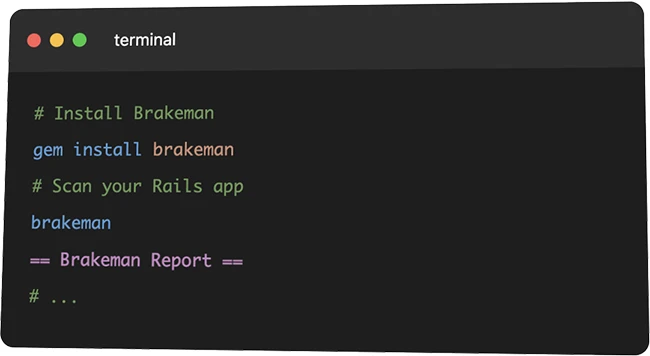
Brakeman is an open-source security scanner used by teams that build applications with Ruby on Rails. The tool focuses on application code and configuration, giving developers and security teams a way to identify common classes of web application risk during development and testing.

Brakeman scanner

Brakeman analyzes application source code directly, including controllers, models, views, and templates. The scanner builds an internal representation of how data moves through the application, which allows it to flag patterns associated with security issues.

This approach avoids running the application or sending test traffic. Teams can point Brakeman at a code repository and receive results based on static inspection of the codebase.

Types of issues Brakeman identifies

Brakeman checks for a range of application security problems that commonly appear in Rails projects. These include injection flaws, cross-site scripting risks, unsafe redirects, and authentication or authorization weaknesses. The scanner also evaluates configuration settings that influence application behavior.

Each finding includes a description of the issue, the affected file and line number, and a confidence level. This structure helps teams prioritize work without requiring deep security expertise for every warning.

Dependency and framework awareness

In addition to application code, Brakeman reviews the versions of Rails and supporting gems used in a project. When a version maps to a known security advisory, the scanner reports it as part of the results. This gives teams visibility into risks that originate outside their own code.

The scanner updates its rules over time to reflect changes in the Rails framework and common development patterns. This keeps findings aligned with how Rails applications are built and maintained.

Using Brakeman in daily workflows

Many developers run Brakeman locally as part of routine development. The tool can also run in automated environments, including CI systems that scan code on commits or pull requests. This allows teams to surface security issues early in the development process.

Brakeman supports multiple output formats, including human-readable reports and machine-readable data. These options make it possible to share results with developers, security teams, or tracking systems without additional tooling.

Managing findings over time

Brakeman allows teams to manage warnings through configuration files. Specific findings can be marked as ignored with a documented reason. This creates a record that persists across scans and helps teams distinguish between accepted risk and unresolved issues.

The scanner also supports comparing results between runs. This helps teams focus on new warnings introduced by recent code changes, which reduces noise in large or long-lived projects.

Brakeman is available for free on GitHub.

Must read:

Subscribe to the Help Net Security ad-free monthly newsletter to stay informed on the essential open-source cybersecurity tools. Subscribe here!


from Help Net Security https://ift.tt/4FEnv0R

AWS releases updated PCI PIN compliance report for payment cryptography

Amazon Web Services has published an updated Payment Card Industry Personal Identification Number (PCI PIN) compliance package for its AWS Payment Cryptography service, confirming a recent third-party audit of the platform. The report package is now accessible through AWS’s compliance portal.

AWS PCI PIN compliance

Two PCI PIN compliance reports included

The update includes two primary deliverables. The first is a PCI PIN Attestation of Compliance (AOC) showing that a Qualified Security Assessor (QSA) validated AWS Payment Cryptography against the PCI PIN security standard with zero findings. The second is a PCI PIN Responsibility Summary that offers guidance on customer obligations for operating systems that handle PIN-based transactions.

AWS said the audit was conducted by Coalfire, an independent assessor recognized by the PCI Security Standards Council.

Background on AWS Payment Cryptography

AWS Payment Cryptography is a managed cloud service designed to handle payment-related cryptographic operations and key management that align with established payment industry standards. These standards include PCI PIN, PCI Point-to-Point Encryption (P2PE), and the broader PCI Data Security Standard (PCI DSS).

The service uses hardware security modules (HSMs) certified to Payment Card Industry PIN Transaction Security (PTS) HSM requirements, and it is intended to support use cases such as card issuance, transaction processing, and PIN validation in cloud-native environments.

Organizations that run payment applications on AWS often confront rigorous compliance demands. Industry standards like PCI PIN define controls for the management, processing, and transmission of personal identification numbers and cryptographic keys. Qualified PIN Assessors evaluate adherence to these standards in environments that handle PIN data.


from Help Net Security https://ift.tt/cLN7mpT

Week in review: Fully patched FortiGate firewalls are getting compromised, attackers probe Cisco RCE flaw

Here’s an overview of some of last week’s most interesting news, articles, interviews and videos:

Week in review

Review: AI Strategy and Security
AI Strategy and Security is a guide for organizations planning enterprise AI programs. The book targets technology leaders, security professionals, and executives responsible for strategy, governance, and operational execution. It treats AI adoption as an organizational discipline that spans planning, staffing, security engineering, risk management, and ongoing operations.

More employees get AI tools, fewer rely on them at work
People across many organizations now have access to AI tools, and usage keeps spreading. Some groups rely on AI during regular work, others treat it as an occasional helper. That gap between access and routine use sits at the center of new research from Deloitte on enterprise AI adoption.

Fake browser crash alerts turn Chrome extension into enterprise backdoor
Browser extensions are a high-risk attack vector for enterprises, allowing threat actors to bypass traditional security controls and gain a foothold on corporate endpoints. Case in point: A recently identified malicious extension called NexShield proves that a single user install from an official and nominally safe online marketplace can escalate into full remote access.

Initial access broker pleads guilty to selling access to 50 corporate networks
A 40-year-old Jordanian man has admitted to selling unauthorized access to computer networks of at least 50 companies, the US Attorney’s Office of the District of New Jersey has announced. Feras Khalil Ahmad Albashiti has pleaded guilty last Thursday to fraud and related activity in connection with access devices.

Linux users targeted by crypto thieves via hijacked apps on Snap Store
Cryptocurrency thieves have found a new way to turn trusted software packages for Linux on the Snap Store into crypto-stealing malware, Ubuntu contributor and former Canonical developer Alan Pope warned. Instead of creating new accounts on this Canonical-run package repository, the attackers are taking over expired web domains and associated email servers tied to existing Snap Store publishers, and using that access to hijack their Snapcraft accounts and push malicious updates to previously benign packages.

RansomHub claims alleged breach of Apple partner Luxshare
Chinese electronic manufacturer and Apple partner Luxshare Precision Industry has allegedly been breached by affiliates of the RansomHub ransomware-as-a-service outfit. According to a post on the group’s data leak site, the attackers stole and encrypted some of the company’s sensitive data.

RCE flaw in Cisco enterprise communications products probed by attackers (CVE-2026-20045)
Cisco has fixed a critical remote code execution vulnerability (CVE-2026-20045) in some of its unified communications solutions that’s being targeted by attackers in the wild, the company announced on Wednesday via a security advisory. The company warns that its Product Security Incident Response Team (PSIRT) is aware of attempted exploitation of this vulnerability in the wild.

Fully patched FortiGate firewalls are getting compromised via CVE-2025-59718?
CVE-2025-59718, a critical authentication bypass flaw that attackers exploited in December 2025 to compromise FortiGate appliances, appears to persist in newer, purportedly fixed releases of the underlying FortiOS. According to Fortinet, CVE-2025-59718 had been fixed in FortiOS versions 7.6.4 or above, 7.4.9 or above, 7.2.12 or above, and 7.0.18 or above.

Energy sector orgs targeted with AiTM phishing campaign
Organizations in the energy sector are being targeted with phishing emails aimed at compromising enterprise accounts, Microsoft warns. The attacks started with phishing emails with “NEW PROPOSAL – NDA” in the subject line, coming from a compromised email address belonging to a trusted organization.

Okta users under attack: Modern phishing kits are turbocharging vishing attacks
Threat actors who specialize in vishing (i.e., voice phishing) have started using phishing kits that can intercept targets’ login credentials while also allowing attackers to control the authentication flow in a targeted user’s browser in real-time. At least two custom-made phishing kits are currently used by a number of threat actors that go after credentials and authentication factors to gain access to corporate systems and assets.

The 2026 State of Pentesting: Why delivery and follow-through matter more than ever
Penetration testing has evolved significantly over the past several years. While uncovering exploitable vulnerabilities remains the core goal, the real differentiator today is how findings are handled after the testing concludes. The method of reporting, delivery, and remediation tracking play a critical role in determining how effective a pentest is at actually reducing risk.

Unbounded AI use can break your systems
In this Help Net Security video, James Wickett, CEO of DryRun Security, explains cyber risks many teams underestimate as they add AI to products. He focuses on how fast LLM features are pushed into live applications without limits or guardrails.

Bytebase: Open-source database DevOps tool
Bytebase is a DevOps platform for managing database schema and data changes through a structured workflow. It provides a central place for teams to submit change requests, run reviews, and track executions across environments. The open-source edition is designed for organizations that want to run the software on their own infrastructure.

Confusion and fear send people to Reddit for cybersecurity advice
A strange charge appears on a bank account. An email claims a package is on the way. A social media account stops accepting a password that worked yesterday. When these moments hit, many people do the same thing. They open Reddit and ask strangers for help. A new study shows how often this happens and what people ask when they do.

Bandit: Open-source tool designed to find security issues in Python code
Bandit is an open-source tool that scans Python source code for security issues that show up in everyday development. Many security teams and developers use it as a quick way to spot risky coding patterns early in the lifecycle, especially in projects that already rely on automated linting and testing.

Cybercriminals speak the language young people trust
Criminal groups actively recruit, train, and retain people in structured ways. They move fast, pay in crypto, and place no weight on age. Young people are dealing with a new kind of addiction. It isn’t drugs, alcohol, or gambling. It’s screens. Constant time online chips away at attention, confidence, and judgment, and pushes young people toward views and choices that don’t always work in their favour.

Pro-Russian hacktivist campaigns continue against UK organizations
The UK’s National Cyber Security Centre reports ongoing cyber operations by Russian-aligned hacktivist groups targeting organizations in the UK and abroad. In December 2025, the NCSC co signed an advisory warning that pro-Russian hacktivist groups were conducting cyber operations worldwide against organizations and critical infrastructure sectors.

OpenAI adds age prediction to ChatGPT to strengthen teen safety
OpenAI is rolling out age prediction on ChatGPT consumer plans to help determine whether an account likely belongs to someone under 18. Age prediction builds on protections already in place.

A new framework helps banks sort urgent post-quantum crypto work from the rest
Financial institutions now have a concrete method for deciding where post-quantum cryptography belongs on their security roadmaps. New research coordinated by Europol sets out a scoring framework that helps banks rank systems and business use cases based on quantum risk and the time required to migrate them. The goal is practical prioritization, and the paper is aimed at security teams that need to move from planning into execution.

Exposed training apps are showing up in active cloud attacks
Security teams often spin up vulnerable applications for demos, training, or internal testing. A recent Pentera research report documents how those environments are being left exposed on the public internet and actively exploited.

Tesla, Sony, and Alpine systems compromised on day one of Pwn2Own Automotive 2026
Security researchers uncovered 37 previously unknown vulnerabilities on the opening day of Pwn2Own Automotive 2026, earning a combined $516,500 in prize money, according to results released by Trend Micro’s Zero Day Initiative.

One-time SMS links that never expire can expose personal data for years
Online services often treat one-time links sent by text message as low-risk conveniences. A new study shows that these links can expose large amounts of personal data for years.

Raspberry Pi now offers a branded USB flash drive, starts at $30
Raspberry Pi has launched a USB flash drive optimized for use across its lineup of single-board computers. The drive is offered in two capacities, with the 128GB model priced at $30 and the 256GB version at $55.

Cyber risk keeps winning, even as AI takes over
Cyber risk continues to dominate global business concerns, with AI rising quickly alongside it. According to a new risk survey from Allianz, both are influencing how organizations plan for disruption, resilience, and recovery across regions and industries.

When the Olympics connect everything, attackers pay attention
Global sporting events bring a surge of network traffic, new systems, and short term partnerships. That mix draws attention from cyber threat actors who see opportunity in scale and distraction. A new Palo Alto Networks threat study on the Milan Cortina 2026 Winter Olympic Games outlines how attackers are expected to operate across the event’s digital ecosystem, from ticketing platforms to telecom infrastructure.

A new European standard outlines security requirements for AI
The European Telecommunications Standards Institute (ETSI) has released a new European Standard that addresses a growing concern for security teams working with AI. The standard, ETSI EN 304 223, sets baseline cybersecurity requirements for AI models and systems intended for real-world use.

Privacy teams feel the strain as AI, breaches, and budgets collide
Privacy programs are under strain as organizations manage breach risk, new technology, and limited resources. A global study from ISACA shows that AI is gaining ground in privacy work, with use shaped by governance, funding, and how consistently privacy is built into systems.

Product showcase: PrivacyHawk for iOS helps users track and remove personal data from data brokers
Every interaction online, from signing up for a newsletter to making a purchase, leaves a trace. These traces are collected by data brokers and resold to advertisers, analytics firms, or, in some cases, criminals on the dark web. As personal information is shared more widely, the risk of phishing, spam, scams, and identity theft increases. PrivacyHawk focuses on reducing this digital footprint by identifying where personal data is exposed and helping remove it before it can be misused.

Let’s Encrypt rolls out 6-day and IP-based certificates
Let’s Encrypt says its short-lived TLS certificates with a 6-day lifetime are now generally available. Each certificate is valid for 160 hours from the time it is issued. To request one, operators must select the “shortlived” profile in their ACME client. The option is opt-in and works with clients that support the certificate profile feature. Let’s Encrypt said this type of certificate requires more frequent validation and reduces reliance on traditional revocation systems by shortening the period a compromised key remains valid.

Security leaders push for continuous controls as audits stay manual
Security teams say they want real-time insight into controls, but still rely on periodic checks that trail daily operations. New RegScale research shows how wide that gap remains and where organizations are directing time, staff, and budget to manage it.

Rust package registry adds security tools and metrics to crates.io
The Rust project updated crates.io to include a Security tab on individual crate pages. The tab shows security advisories drawn from the RustSec database and lists which versions of a crate may have known issues. This change gives developers a way to view advisory information before selecting a crate as a dependency.

EU tightens cybersecurity rules for tech supply chains
The European Commission has proposed a new cybersecurity package aimed at strengthening the EU’s cyber resilience, including a revised EU Cybersecurity Act designed to secure ICT supply chains and ensure products reaching EU citizens are secure by design through a streamlined certification process.

Microsoft updates the security baseline for Microsoft 365 Apps for enterprise
Microsoft has published version 2512 of its security baseline for Microsoft 365 Apps for enterprise. The baseline documents recommended policy settings for Office applications used in enterprise environments and maps those settings to current management tools.

macOS Tahoe improves privacy and communication safety
macOS Tahoe privacy and security features focus on screening unwanted contact, limiting tracking, and keeping more decisions on the device. Most updates run quietly in the background and require little setup.

The internet’s oldest trust mechanism is still one of its weakest links
Attackers continue to rely on domain names as an entry point into enterprise systems. A CSC domain security study finds that large organizations leave this part of their attack surface underprotected, even as attacks become more frequent. The research examined the Forbes Global 2000 and compared them with the world’s top 100 privately held unicorn companies.

OpenWrt One gains support for running Debian
Debian now runs on the OpenWrt One hardware platform following recent engineering work by Collabora. OpenWrt One is a developer focused router designed to support embedded Linux work on standardized hardware. The platform serves as a reference device for the OpenWrt community and includes open hardware documentation intended to support system bring up and software development.

Microsoft introduces winapp, an open-source CLI for building Windows apps
Microsoft has released winapp, a new command line interface aimed at simplifying the process of building Windows applications. The open-source tool targets developers who rely on terminal based workflows and want a consistent way to create, configure, and manage Windows apps across projects.

Agentic AI edges closer to everyday production use
Many security and operations teams now spend less time asking whether agentic AI belongs in production and more time working out how to run it safely at scale. A new Dynatrace research report looks at how large organizations are moving agentic AI from pilots into live environments and where those efforts are stalling.

Ring now lets users verify whether videos have been altered
To give users peace of mind, Ring has introduced a new content authenticity feature that allows them to verify whether a Ring video has been edited or altered. Ring Verify adds a digital security seal that breaks if the video is changed in any way.

1Password targets AI-driven phishing with built-in prevention
To help reduce phishing risk, 1Password added an extra layer of protection and began rolling out a phishing prevention feature designed to stop users before they share passwords with scammers.

Cybersecurity jobs available right now: January 20, 2026
We’ve scoured the market to bring you a selection of roles that span various skill levels within the cybersecurity field. Check out this weekly selection of cybersecurity jobs available right now.

New infosec products of the week: January 23, 2026
Here’s a look at the most interesting products from the past week, featuring releases from cside, Obsidian Security, Rubrik, SEON, and Vectra AI.


from Help Net Security https://ift.tt/cu6XDVH