It’s New Year’s Eve, which means a lot of us will be drinking. Depending on how 2019 went for you, you might be potentially drinking a lot. My Limit is a free app that can help you monitor that consumption so you keep it within safe limits.
The app is designed to offer you a real-time estimate of your blood alcohol content so you know when it’s safe to drive. While I think it’s a good idea to monitor what your BAC level might be during a heavy night of drinking, I’ll go ahead and say that I think doing so for the sake of knowing when you’re officially not wasted enough to get behind the wheel is an absolutely horrible idea.
If you plan to go out drinking,also plan on taking an Uber/Lyft/cab ride home afterward or have a friend who isn’t drinking at all designated to be your driver home. Period.
Just because you “feel ok” or your last drink was “hours ago” doesn’t make it a good idea. Different drinks take different amounts of time to “hit” all of us. Don’t start 2020 off making a rookie idiot move. If you’re worried about the price of a ride, calling a Lyft/Uber right at midnight can typically get you a cheap fare (mine home last year was $6!), and if you wait an hour after the ball drops, the price will also drop. If that’s still a deal-breaker, then plan to stay at your friend’s house or simply opt for mocktails all night.
Now that’s out of the way - What My Limit can be great for is helping you remember to pace yourself. Sure, you can typically drink 4 beers when you’re out with friends, but New Year’s means you’re probably also going to have a glass of champagne, and maybe a shot or a cocktail or two will make their way in there as well along with those beers. All that to say, you’re probably not drinking how you normally do, so you’re not going to be able to pace yourself like you normally do either.
When you first launch My Limit you’re prompted to enter your body weight and gender, which is what the app uses to guesstimate how alcohol is going to impact you. While you’re drinking, an “add a Drink” button allows you to quickly tally what you consumed using pre-set buttons.
Beers, for instance, allow you to choose between Light, Regular, and Craft with ABVs ranging from 4.2% to 8%. Obviously there are beers with ABVs lower than 4% and higher than 8%, so you’re just going to have to do your best here.
Liquor is added by ounces you consumed and proof, and wine is added by type, although it too makes some sweeping generalizations about what the ABV might be of that wine.
All that to say, this is not going to be a perfect spot-on analysis of your current ABV. That’s even more of a reason to not use it to determine when you’re good to drive, because it definitely won’t be correct.
What it will do is give you a decent estimate of where you are blood alcohol wise and let you know when you should probably pump the brakes.
For instance, I told the app I had 8oz of champagne and a shot of 80-proof liquor, and it immediately put me in an orange zone, told me my reactions are impaired, and that it will be 4 hours and 18 minutes before I’ll likely be fully sober. If I actually had just downed those two drinks I might opt to switch to water before grabbing another beer, even though they haven’t actually hit me yet. In all likelihood that would be setting me up for some regrets in around 30 minutes.
Where I think the app will really shine is if you use it throughout the year. A “Drink History” section can track your consumption over a day, week, month, or the entire year so you can see how much you’ve really consumed.
You know how we all tell our doctor we only have 2 drinks a week? This way you’ll actually know the correct answer.
If you’re looking to cut down on your drinking in 2020 it could potentially be a great tool to help get you there, and even if you’re not, it can be a great way to pay attention to how much alcohol you’re consuming during an evening with friends or across a month to notice any trends before they might become an issue.
If travel is in your plans for the first half of 2020, then you may want to check out Southwest’s final sale of 2020. The airline is offering deep discounts on some one-way flights today, with flights from the continental U.S. and Hawaii running as low as $39 and flights within the continental U.S. coming in as low as $49.
Like all great sales, there are a pretty decent amount of caveats to this one. Tickets will need to be purchased at least 14 days in advance in order to be eligible for the sale price, 21 days if you plan on traveling to San Juan, Puerto Rico.
In cases where the route has a nonstop, the discounted fare is only for that non-stop (which should be good news), otherwise, you’ll only be able to get the discount on fares with one stop between you and your destination.
And travel has to happen between January 14th and May 20, 2020. Additionally, the discounted fares only apply to certain travel days and markets.
U.S. travel is not valid on Fridays and Sundays. Travel to Ft. Myers/Naples, Ft. Lauderdale, West Palm Beach, Tampa, Orlando, and Las Vegas and from Ft. Myers/Naples, Ft. Lauderdale, West Palm Beach, Tampa, Orlando to Las Vegas is valid only on Sundays through Wednesdays. Travel from Ft. Myers/Naples, Ft. Lauderdale, West Palm Beach, Tampa, Orlando and Las Vegas and from Las Vegas to Ft. Myers/Naples, Ft. Lauderdale, West Palm Beach, Tampa, and Orlando is valid only on Tuesdays through Fridays. Interisland Hawaii travel is valid Tuesdays and Wednesdays. Travel to/from San Juan, Puerto Rico is valid Monday - Thursday.
It’s a lot of restrictions, for sure, but a quick search from my home in San Francisco brought up a number of options as well.
Worth noting: Southwest is one airline where you can change your flights without paying a change fee. That means if you book a flight for April now and then realize you can’t take it, or need to fly a different time, you’ll be able to cancel the flight or move it around at no charge.
If you cancel the flight, the amount you pay for a ticket now will be a Southwest credit to use on a future flight. If you change your flight, you’ll have to pay the difference in fare between the ticket you buy now and the ticket you get later. That said, there’s a chance Southwest might have another sale between now and your travel dates, so you might even be able to rebook for even cheaper a few months for now and pocket a little Southwest credit along the way.
It’s a pretty low-risk buy as plane tickets go, and worth a look if you have travel aspiration in the new year.
If you’ve looked at Instagram Stories over the past week or so you’ve probably noticed at least one friend showing off who they might be if they were a cartoon character.
For me, the first one I saw was the “Which Pokemon Character Are You?” filter, followed later by the Disney and Harry Potter iterations. In all three, a box appears above your head when you activate the filter and rotates through a series of options before landing on your fate.
If you’ve gone searching for the filters; however, you may have had a little trouble.
All three of the filters are made by third parties, which means they’re not automatically added to your Instagram app.
The easiest way to get access to the filter (and any other similar ones that come out down the line) is to tap on the name of it at the top left side of the page when you see a friend using it. When you do, Instagram will launch a pop up with a button for you to “Try It.” Tap on that and you’ll be able to try it in the moment.
You’ll also see it temporarily as an option whenever you launch Instagram Stories going forward. If you love the filter, you can save it by tapping the name of the filter (in the photo below “What Pokemon?” Which will bring up the option to save the effect or send it to a friend who might be struggling with finding it. There’s also a link there for you to browse through the effect gallery, which can be a fun way to kill a few minutes/hours.
If you don’t have a friend that’s already using these, here are links to some of the most popular options. These are links to their creator’s profile pages. From here, you’ll need to scroll to the creator’s filter options to find the respective filters. You’ll find those by tapping the smiley face emoji above their photos. And obviously, you should do this on your phone, not on your computer.
New Year’s Eve, a 2011 rom-com that takes place in the hours leading up to the New York City ball drop, is a terrible movie. You probably know it because every actor—save for those in a similar holiday-movie with an ensemble cast, Valentine’s Day—was in it. Still, with massive star power and a hell of a budget, New Year’s Eve was a trainwreck. Why do Lea Michelle and Ashton Kutcher’s characters live in such a nice building, but still manage to get stuck in their elevator for hours? Why doesn’t Sarah Jessica Parker’s character have a phone? And why is Jon Bon Jovi trying to act?
Readers, you deserve better. Below, a few of our favorite movies to get you in the New Year’s Eve spirit, including one cheesy rom-com that’s actually worth watching—we swear—and one post-apocalyptic film for the sci-fan in you.
There are lots of bad things about Nancy Meyer’s 2006 movie, The Holiday, a film about two lonely strangers exchanging homes during the holidays that could have ended so terribly had this been real life.The movie is predictable, Jack Black feels miscast alongside Kate Winslet, and Cameron Diaz stars as our archetypal type-A heroine who resigns to love as a means of figuring out her life’s answers. But folks, The Holiday is amazing. The score itself, composed by Hans Zimmer, will make you cry. Winslet will make you cry. Everything about this movie is so bad, it’s good, which is why I recommend it if you want something sweet, sappy, and so unrealistic you’ll lose your grip on actual reality.
There probably isn’t a greater love story set around New Year’s than When Harry Met Sally. But I am recommending this film because this movie is better when you view it as a love story to New York City. It makes living in New York look like a dream born out of an ayahuasca high. If you want to convince your parents moving to New York is a safe and respectable decision, show them this movie. Or just watch it for Carrie Fisher. (And for those wondering, I prefer this Nora Ephron classic to Sleepless in Seattle, also set around New Year’s Eve, but to each their own.)
If you haven’t seen Snowpiercer, here’s the set-up: The world has frozen over and the only remaining people exist on a train that circles the globe. The front of the train, where the wealthy and elite are, is intentionally separated from the back where the stragglers and poorer citizens are left stranded. You might think to yourself, how much action can actually take place on a train? Well, a fucking lot. Technically, it’s not clear whether the film takes place during the holidays, but a war-cry during a pivotal fight scene suggests the new year is upon them. Watch it if rom-coms bother you and Chris Evans with a beard does not.
The much critically-acclaimed Carol is excellent, especially Cate Blanchett and Rooney Mara’s performances. Without spoiling it—but assuming you at least heard about the movie during the awards season a few years back—the film takes place in the 1950s during the holidays and explores the romance between Blanchett and Mara’s characters. Exactly one scene takes place during New Year’s Eve and it’s easily one of the most memorable of the movie. Watch it if you’re in the mood for something a little heavier in theme and damn good acting.
There’s no point in sharing why Forrest Gump is a classic; it’s Tom Hanks at his best. Despite this, you might have missed the one scene that takes place on New Year’s Eve in which Forrest and Lieutenant Dan celebrate the day in New York City (and ends in a foiled sexual escapade). While the scene is short, the entirety of the movie is worth watching. Watch it if you want to watch a classic film in recent movie history.
As we begin a new year and, arguably, a new decade, there are a few things I think we can safely do without. Here are three nutrition myths that I believed, or maybe wanted to believe, at the start of the decade—and why I’m leaving them behind.
Myth: specific chemical compounds make a food “good for you”
Remember superfoods? Anything with a high antioxidant score was supposed to be especially good for you. The buzzwords have changed, but the concept has not: We keep hearing that the flavonoids in coffee or red wine, for example, make a food particularly healthful.
But these ideas tend to come from studies that look at one food component in isolation—often in lab studies that are miles away from any relevance to humans. Like, okay, if you extract one chemical from red wine and give it to mice, maybe the mice have slightly lower levels of inflammation-related biomarkers in their blood. So? That doesn’t mean that a human being with a habit of drinking red wine is going to be healthier than a human who doesn’t drink at all.
We don’t eat nutrients, we eat foods; and we don’t only eat foods, we live rich lives involving hundreds of things to eat and hundreds of considerations besides what might possibly reduce levels of a certain blood chemical.
Eat your vegetables, get a variety of foods, you know the drill. If you’re debating whether to eat these berries versus those berries, you’re wasting your time.
Myth: Keto does something magic to your metabolism
Keto and other low-carb diets have undulated in popularity. Remember Atkins? Its induction phase was basically a strict keto diet, and it dates back to the 1970s.
At the beginning of this decade, there was still a possibility that a ketogenic diet—one that is low enough in carbs to produce a certain blood chemistry—was doing something special to our metabolism. But since then, we’ve seen some rigorous studies that test that hypothesis, and they find that there’s no biochemical advantage to low-carb diets, nor to any diet in particular.
All diets seem to work equally well (or equally badly, to be honest—most everyone regains the weight they lose in the long run) as long as they restrict calories by about the same amount. So what really matters is choosing a way of eating that you can stick to, whether that’s low fat or low carb or anything else.
Myth: meal timing is super important
I’m convinced that meal timing only became a thing because people are looking for an easy thing to optimize. Maybe you have trouble eating the right amount and type of food, but at least you can get the timing down. Or perhaps you want to prove to yourself that you’re serious about your workouts, so you take the time to plan out the perfect post-workout shake.
Just as low-fat and low-carb diets seem to work equally well, there’s no solid evidence that intermittent fasting is better or worse than many small meals a day. If you like breakfast, you can eat it; if you don’t, skipping it is fine.
While there is some evidence that meal timing around a workout matters, its effect is small compared to the basics of what you’re eating and how much. If you can’t get 30 grams of protein immediately after a workout, it’s not like your muscles will shrivel up and die. (I distinctly remember watching the clock after the gym to make sure I got my shake in the supposed 30-minute window.) It turns out that the window to get that protein is probably several hours long. So most of will be fine to just plan our workout to fall between meals—lunch and dinner, say, or breakfast and second breakfast—rather than sweating any specific timing.
You know that Google search bar you see when you open a new tab in Google Chrome? Well, it’s not a “true” search field. It actually just redirects all the activity to your browser’s address bar and doesn’t return any search results within the new tab page. Frankly, it’s little more than a useless decoration—at least by default.
There happens to be a hidden setting in Chrome’s flag menu that can turn the new tab screen’s search bar into a legit Google search field, complete with auto-filling search results as you type, and it’s pretty easy to turn on. Here’s how (via gHacks):
Screenshot: Brendan Hesse
In Google Chrome on desktop, go to chrome://flags/
Look up “Real search box in New Tab Page” in the search bar,
Click the drop-down box and select “Enabled.”
Close the browser window for the changes to take effect.
The next time you open Chrome, the search bar on the New Tab page will actually work like a legitimate search bar.
Note that this will only work if Chrome’s search engine is set to Google. You can check this by going to chrome://settings/, click “Search Engine” from the left-hand side menu, then use the drop-down box to set “Search engine used in the address bar” to Google.
Best of LifehackerBest of LifehackerWhether we’ve made a complicated recipe absurdly simple, illustrated how to survive a natural disaster, or explained a political crisis in terms even your great-grandma would understand, these are some of our favorite stories from the past year.
My favorite part of of interviewing people for How I Eat is bullying them into showing me the inside of their fridge, but my second favorite part is getting delicious advice on how to eat, drink, and live. Choosing my favorite excerpts from each interview was quite a challenge and—though I think I chose well—you should definitely read every interview in its entirety (trust me, it will help you start the new year out right).
I think that everybody should have their drink that they know how to make really well, just like everybody should have their dish that they know how to make really well. People that don’t know how to cook, or [don’t] have a dish that they enjoy making, kind of make me sad. And the same thing with a drink; you should have your go-to, whatever it is. It doesn’t matter to me. But if your thing is like that you really love martinis, you should be able to execute a really great martini at home. Because it’s cool and it’s social, and it’s fun to do alone and it’s fun to do with other people. So have your thing, but I think a lot of people get—and I always try to talk people out of this—but people think that in order to have a home bar, you have to have every single brand or type of booze. You know people say “What should I get from my home bar?” and I say, “Well, what do you like?” If you don’t like tequila, I’m not going to tell you to get four different types of tequila for your home bar so you can make a bunch of tequila drinks you’re never gonna drink. If you just like vodka, then get six vodkas.
The one thing I wish everybody could understand is that not all all-purpose flours are the same. This is not a regulated term. There are some all-purpose flours that are made with 100 percent soft white wheat flour that is chlorinated, which has a completely different behavior than other brands, which might be made from 100 percent hard red wheat flour that’s completely untreated. And then there are flours that are a blend of white and red wheat, and they’re all over the map. Some are high in protein, and some are high in starch, and vice versa.
So I always try and specify in my recipes what kind of flour I’m using. And I think some people get a little salty. They’re like “well if you’re making a recipe that only works with one type of flour, you’re not a very good baker.” Well actually, all bakers are making a recipe that only works with one type of flour, unless that baker is also cross-testing their recipe across multiple brands of flour—honestly I don’t think most recipe developers are investing that kind of time. So the best any baker can do is find a brand that they like and stick with it, and let you know what brand that is, as a courtesy. People don’t understand that, and they’re just like “Well I made it with this flour and it doesn’t work. This recipe’s bad.” Well, that flour has comparatively a lot less starch, or has a lot more protein, or is much starchier, and that’s going to affect everything. So if you have consistent problems with their cookies not spreading enough, or their cake having too coarse—or kind of a corn bread-like structure—try a different flour.
I do love rock salt and one of my—I’ve been doing this for years—but I sprinkle a little bit of sea salt or pink rock salt on chocolate chip cookies when I bake them. And I make really good chocolate chip cookies, if I do say so myself. I have a great recipe for it, and I can tweak it a little bit for people who have allergies, but I’ve been told over and over again that I make the best chocolate chip cookies. And I always sprinkle a little bit of salt on them before they go in the oven, and it really brings out the chocolate. I usually try to use two or three different kinds of chocolate in there. I’ll put in dark chocolate, and semi-sweet chocolate, and milk chocolate, so there’s kind of something for everybody.
Photo: Emma McIntyre (Getty Images)
I started making this one-pot Japanese breakfast. You get a can of mackerel, you get some rice—generally sushi-grade rice—and you make the whole thing in a rice cooker. So you put umeboshi, a pickled plum, into the rice cooker, with the rice, mirin, a little bit sake, a little bit of soy sauce, kind of half an inch of chopped up ginger, and the oil from the mackerel can, because mackerel is a super fatty fish. You want to get the mackerel packed in—soy oil works pretty good—and you dump the mackerel in, then you top the water up to the liquid level, and put the lid on. Cook it. The oil keeps it from sticking at the bottom of the rice cooker, but as it cooks it forms almost a crust like if you were making really, really good fried rice. And when it’s done you fluff it up, put it in a bowl, then I put Japanese pickles on it, like Japanese pickled beef steak plant. I forget the Japanese name for it but they’re sort of like purple-y pickles, and then Japanese pickled cucumber. Put really finely sliced green onion on the top. And then you eat it, and it’s great. It’s a good breakfast because it’s protein, and there’s a lot of fat in mackerel, but it’s not overly heavy, you know? And it’s a single pot.
So, I realize I am again entering into very controversial territory, but Hawaiian pizza is good, actually. I especially love Hawaiian with jalapeños because of my spicy thing. So you have ham, pineapple, jalapeños— amazing. It’s objectively correct. Especially with a cured meat, like ham. The sweet and the saltiness—it’s good. It’s like wrapping slices of prosciutto around honeydew melon. I love that as a snack. The salty-sweet-savory combination. Oh! It’s so good.
So my favorite potato chip is the Sweet Maui Onion chip—you know the Hawaiian ones? I’ll throw those into a sandwich. Of course pickles add a really delicious sort of texture. I hate putting lettuces in sandwiches because of how limited their abilities are as far as adding anything of substance. Actually when I was a kid—I can trace this to that—I was in middle school and I remember taking my lunch money and, rather than buying a hot lunch or anything of substance, I would buy a bagel, which came with margarine and a bag of Doritos and I would just sandwich the Doritos between the slices of bagel and eat that as a sandwich. That was just amazing to me.
I’m still on the quest to find the perfect breakfast sandwich in San Francisco... A round bun, first of all—the closer it is to a kaiser roll the better—eggs that haven’t been microwaved, and good textural contrast. That might mean crispy bacon or, if I’m very lucky, that means a hash brown like the kind they sell in the freezer—those oval things. If that’s in the sandwich? Game over.
My favorite baked good is a brownie from a boxed mix. I love those because they cost three fucking dollars, and they come together real quick. I’ll use pistachio oil instead of vegetable oil, and that will make it a little nuttier. And sometimes I’ll use coffee instead of water too. And a box mix always has—the Ghirardelli one—it always has a perfect shiny crust. It’s chewy on the edges. It’s fudgy in the center. They’re perfect. I don’t see a reason to spend any time measuring anything. I hate baking. I used to be a baker but it reminds me too much of my time in chemistry, with all the weighing and precision, and I just refuse to be part of that anymore. I opted out of that.
Channel your inner Jay Gatsby and get ready to say Old Sport every other sentence, we’re headed into the Roaring ‘20s. What better way to celebrate than to spend all that holiday cash you got by online shopping? You can get 20% off and free shipping on over 47,000 styles during The Roaring ‘20s Sale at Zappos. Just use promo code CELEBRATE19 at checkout to save big!
This is my last post as a Lifehacker staff writer, so I want to leave you with some meta-advice. When you want to learn a new skill, don’t use just one book, or app, or YouTube tutorial. Try a lot of them, stick with a couple of them, and occasionally consult others.
“Playing guitar,” for example, is a broad skill, and you might not yet know whether you want to sound like Joey Ramone, Carole King, or Vampire Weekend. You might think that you want to learn your favorite rock song first, but find that it’s actually much more satisfying to learn chords one by one. Or to do that for a day before returning to a song-by-song approach.
Concepts will click for you
A lot of learning involves building mental models and schemas: a color wheel, the food pyramid, sheet music, a flow chart, a story outline. It can involve mnemonics, rules of thumb, all kinds of concepts beyond the raw information you’re learning to process. Every learning method will use a different combination or presentation of these concepts, and some presentations will click better than others.
Solving a Rubik’s cube, for example, involves some abstract concepts and tricky spatial reasoning. Some of the basic moves didn’t click for me until I’d seen them explained five different ways by five different apps. Only then did I know which way I preferred to think of those moves, and choose the app that followed it.
You won’t give up so easily
Every few years, I try to learn to code. As a kid I used a “For Dummies” book and a couple of BASIC books. As an adult I’ve tried a few online courses. Each time I give up when I’m a little frustrated. And then months later, I come across a problem that coding could solve, and I wish I’d stuck with it.
There are so very many ways to learn to code, I would never run out. And if I really get serious about it, I should try about ten of them at once. Because when I hit the frustrating part on one tutorial, I can jump to another, and another, until I’ve cobbled together enough skill to tackle the first one again. Same for when I’m bored—I can find a more fun method that feels like a break, but is still teaching me.
It fills in the gaps
No teacher or tutorial can encompass all the valid ways of learning a thing. A guide to precise classical piano cannot teach you jazz piano. Strunk & White cannot teach you to write a florid fantasy novel. Bob Ross cannot get you into the Guggenheim.
If you want to get serious about a skill, you have to have more than one influence. You have to be ready for new challenges, you have to find your own voice, you have to adapt to added difficulties that your main teacher may not anticipate.
You might also have to discover your teachers’ biases or flaws. Any topic worth studying also has some areas of controversy, and you should be aware of the different outlooks, whether or not you agree with them. You might end up changing your mind (take it from a former Creationist Christian conservative who read some library books and went online). You might strengthen your viewpoint, or synthesize a new one, instead of parroting what you’ve been taught.
For two and a half years at Lifehacker, I was lucky enough to be paid to learn. I won’t stop learning now. I hope you don’t either.
I don’t mind helping out friends, loved ones, and extended family members when some device or service goes wrong, but it can be tricky when they don’t quite understand how to describe the problem—or even the things they’ve done to fix it. Having found myself in this position quite a few times, I’ve come up with a few general troubleshooting techniques that you can use to (hopefully) address most problems your family members bug you about.
Make sure the device is running the most updated version of its software
Whether someone says they’re having a problem with their smartphone, their router, or most other devices, it never hurts to confirm that they’ve actually updated their device’s software to the latest version. That’s easy for smartphones; for PCs, make sure they’ve at least run the system-update tools in Windows or macOS recently. If they’re still using an ancient version of either (such as Windows 7 or macOS Sierra, for example), you might even consider walking them through an upgrade to a more modern OS—a longer-term project, but something worth considering as a larger solution.
You’ll probably need to walk your friends and family members through the firmware update process for trickier devices, like their routers, but it’s worth the time for the additional security updates or features they’ll receive. And if a device has some kind of auto-updating feature, it doesn’t take that long to pull up its manual, find out where that setting is, and have them confirm for you that they have it turned on.
Try restarting fussy devices
The classic advice is often the best advice. If a person is having a problem with a device, have then power cycle it—in the safest way possible, of course. That means shutting down their PC and powering it back on, not pulling the plug randomly. (Though you can get away with that technique for dumber devices, like a wireless router.) With luck, whatever issue they were having will magically disappear once their device pops back on.
Try a different cable
This is probably better advice for issues related to smartphone charging or networking spottiness than anything else, but when confronted with a fussy device, it never hurts to try a different cable. Your USB cable might look great on the outside, but it’s possible that some internal issue is preventing it from performing at its best—and, as a result, a loved one’s smartphone is unable to charge or connect consistently. If someone has the option to try a different cable with a particular device, I recommend they swap it out to test whether that’s the source of their issue.
Ask them to let you fiddle with their device directly
If someone you know is having a problem with their PC, for example, you might want to walk them through the process of letting you connect remotely—either directly through the operating system, or using a third-party service like Google’s—so you can directly troubleshoot the issue. This will likely save you lots of time and frustration, as you and said person won’t have to perform some complicated dance over the phone. Instead, you can jump right in as if you were sitting in front of their system and work your magic remotely.
And if you’re helping out trusted family members—and find yourself always helping out the same trusted family members—having them add you as a guest or administrative user for whatever devices allow it can also help. If you can reset their router yourself without having to call them up and talk them through the process, you’ll save a lot of time; they can just shoot you a quick email whenever their internet is acting up (if they can), and you can test their connection yourself and triage with the most obvious techniques first.
Instead of a frantic phone call, try a FaceTime
The one thing that’s always troublesome about troubleshooting is when two people of vastly different experience levels with technology attempt to describe things to each other—how something is connected, what they’re seeing on a screen, what should happen when they perform some troubleshooting (and what’s happening instead), et cetera.
Instead of trying to solve a person’s problem only using words, have the person fire up a video call on their Android or iPhone. They can still talk to you, obviously, but having eyes on whatever it is you’re trying to fix might clue you in to an issue that’s obvious to you, but something they might not have thought to mention (or got wrong).
Ask them to factory-reset their device and set it up again
I encountered this problem this past week—a friend’s family member bought a new router, but found their old wireless extenders weren’t working. The obvious answer was that they needed to simply use the same SSID for their new router’s wifi networks as they used on their old router, but to make things even easier, I suggested that they simply factory-reset their wifi extenders and set them up from scratch. (And I pointed them to the quick start guide online that would walk them through the process.)
While the SSID approach would have probably been fine, factory-resetting the wireless extenders felt like the faster approach—at least, sparing me another round of troubleshooting if there was still something funky with the connection between the two devices. (Perhaps the wifi extenders were looking for a specific 2.4GHz network, and the person actually used that name for the router’s 5GHz network and the extenders couldn’t find them, or who-knows-what.)
I mention this, as it never hurts to ask a person to start from scratch. Yes, they’ll have to set up their device again—less painful for an iPhone, if you have a fresh iCloud backup, and more challenging for a person’s primary laptop. However, this might be exactly what the person needs to get their device working and performing well.
I always recommend a regular PC refresh, and it’s one of the first things I think of when I encounter an underperforming laptop. You could troubleshoot, sure, but sometimes it saves time and gets better results when you nuke everything and start over again.
Take photos before you become the tech support
I stumbled across this Reddit thread a few months ago, and it stuck with me because I absolutely love the advice. If you’re always troubleshooting for a friend or family member that you see fairly frequently, go in and take pictures of their setup—the wires, the connections, the devices, et cetera. Not only will you then have a reference point for what everything looked like when it was working, but you’ll be able to more easily describe the steps they need to take, rather than having to first ask them to tell you what their setup looks like before you tell them what to do.
Also, feel free to tape down any buttons on any devices, panels, or whatever that they absolutely should never touch. This probably applies more to those who are extremely technologically unsavvy, but it’s a great way to keep them from making things worse.
I’m lucky: As a kid, I had excellent examples of how to be a fun aunt, and even as a teen, I knew it was a role I wanted to play in adulthood. And because my younger brother has autism—severe enough so that having his own family is not in the cards—that meant I needed to marry someone who had siblings who wanted kids.
When I met Jeff, he had two nieces. No. 3 came along a year or two after we met. Nos. 4 and 5 showed up after we got hitched. I dig those little girls so hard, and it’s important to me that they know they can count on me and that I love the snot out of them.
Here’s how I try to show them that, and it’s my best advice for achieving Favorite Aunt or Favorite Uncle status:
Get ‘em while they’re young …
This is a trick I honed as a teenager, when my older cousins started having kids. I adore babies, but if you bring a baby to, say, Christmas Eve at an Italian family’s house, that kid is gonna disappear in a bustle of exclaiming relatives.
When that would happen, I hung back. The hustle inevitably ebbed right around dinner time, which is when I’d swoop in and offer to chill with that nugget while everyone else, including mom and dad, ate. And thus, I got some coveted one-on-one time with baby and started building our bond early on.
… but don’t force it
My love language is physical touch. I’m a cuddler. Come and sit in my lap or give me a hug or hang off my back or let me smooch your fabulous face. No matter how much I want to snuggle them, though, I’m not gonna grab a kid who doesn’t want to be cuddled. That’s just not okay.
Instead, I greet them when they come in, and if they have no need for Aunt Jaclyn, I back off and pop up occasionally throughout the day to see if they’ve warmed up. I’ll insert myself into blocks or dolls and wait until they approach me, even if it takes, like, years.
One of my nieces in particular was an incredibly shy toddler. She didn’t like to have everyone look at her, ever, even during the “Happy Birthday” song. (One year, we all just started off into space while we sang. Seriously, it helped.)
Then, toward the end of one summer, when she was about 5, my husband and I showed up at our in-laws. As we rounded the corner into the backyard, she shouted, “Aunt Jaclyn, come sit by me!” I about tripped over my feet running over to the bench.
She’s solidly on Team Aunt Jaclyn now, but if I’d forced an interaction each time I previously saw her, I suspect she’d have stayed scared of me.
Play with them
This might seem like a no-brainer, but you can’t overvalue the time you spend crawling around on the floor with a baby or playing Old Maid around a kitchen table.
Last summer, I spent a few days with my bestie and her whole clan at her parents’ lake house. Her kids, plus nephews, ranged from ages 2 to 8, and Stephanie made a special point to bring something she could do with the kids: One afternoon, for example, she and the kids made elephant toothpaste, which amounts to foam exploding (completely non-dangerously) from a glass beaker.
Don’t have dry yeast or hydrogen peroxide around the house? Pull out a board game or start up a round hide-and-seek. My in-laws have a finished basement with a bunch of different rooms off the main living space. It is a spectacular hide-and-seek playground, and during this past Thanksgiving, it seemed there was always a round going on.
Find ways to connect over long distances
It can be hard or even impossible to show up regularly when your niece or nephew live far away, but there are certainly ways to show, “Hey, I’m thinking about you.”
Four of my five nieces live about two and a half hours away, and I’m all about care packages. I typically time them around Valentine’s Day or Halloween and fill them with some combo of candy, stuffed animals, silly socks and the like. The year I sent them mustaches that resulted in a particularly delightful photo opp.
My oldest niece recently got a cell phone, and texting her is fun, whether it’s a happy birthday message or nothing more than a GIF-off. And plenty of sources sing the praises of Skype or Facetime, too. If you can plan an event around the chat, even better: The Irish lifestyle site EVOKE.ie suggests breakfast Skype dates. A long-distance dad writes on Parents.com about how his son would video call to chat each time he worked on a jigsaw puzzle Dad had gifted.
Connect one-on-one
This isn’t always easy, especially if you have more than one or two nieces and nephews. But bonding one-on-one makes each kiddo feel extra special.
For example, one of my nieces straight-up loves back scratches. I know, we all do, but trust me, her love of them is more than yours and mine combined, times about a hundred. She knows that, at least once per visit, I’m good for a pretty extended back-scratch session. She waits until everyone is around the kitchen table, chatting, and she’ll walk up to me and smile. Sometimes even mid-sentence, I scoot back to let her hop on my lap, and it’s scratchin’ time.
While she’s nowhere near as shy as she used to be, the first niece I mentioned can still occasionally feel overwhelmed, especially when there are extra people around she doesn’t know well. During one holiday with some extended family, after dinner when everyone was spread out and relaxing, I whispered to her, “Want to watch a movie?” We curled up on the couch upstairs and popped in a movie. We didn’t even watch the whole thing, but we got in a one-on-one visit, and it’s one of my favorite memories from the whole day.
A recent security breach has leaked the information of over 2.4 million Wyze security camera users. The compromised database was left unsecured and publically accessible, and it appears that the information was being collected and stored by the Alibaba cloud computing company in China.
Username and email of those who purchased cameras and then connected them to their home
Email of any user they ever shared camera access with such as a family member
List of all cameras in the home, the nicknames for each camera, device model and firmware
WiFi SSID, internal subnet layout, last on time for cameras, last login time from app, last logout time from the app
API Tokens for access to the user account from any iOS or Android device
Alexa Tokens for 24,000 users who have connected Alexa devices to their Wyze camera
Height, weight, gender, bone density, bone nass, daily protein intake, and other health information for a subset of users
Just one of those bullet points would be enough for concern, but the volume of compromised user data is staggering. After a few days of silence, Wyze finally responded to the breach and provided a timeline of events on its user forums, but the damage has already been done. If you use any of Wyze’s products, you need to change your password and update your security options immediately so that no one can break into your account using leaked info. (You might also want to manually log out of your account and log back in, and make sure you disable and reenable any connected services, if applicable.)
Scroll down to the Security section and enable “Two-Factor Authentication.”
Add your phone number then tap “Verify Phone Number.”
You’ll receive a text with a verification code. Enter the code in the verification field then tap “Next” to finish the process. You’ll now receive a verification code via text each time you log in. You can also add a backup phone number in case you lose access to the other device for whatever reason.
While a new password and two-factor authentication will help keep your account safe, we should point out that this method—sending a confirmation number over text—isn’t as good as truetwo-factor authentication, and in some cases may not help at all.
We love this swiveling surge protector from CyberPower. First of all, it attaches straight to the wall, which means no mess on the floor (if you manage your cables correctly.) And it lets you plug in on the side, rather than sticking straight out, you can push furniture right up against it. (Yay, no bended cables.)
Better still, it has two USB ports. And right now, it’s just $12. That’s a bargain, and one of the best deals we’ve ever seen.
If you want to stick to your New Year’s Resolution or any new habit, don’t hinge it on a single behavior. Instead, come up with as many different behaviors as you can think of—or what Stanford social behavioral scientist BJ Fogg calls a “Swarm of Bs.”
Fogg explains the Swarm of Bs technique in his new book Tiny Habits: The Small Changes that Change Everything. I got an advance copy of Tiny Habits, and very much recommend it—I took a whole page of notes as I read the book, and have already started implementing the advice in my own life.
But, since it wouldn’t be fair to give away the whole book, I’ll just quote (with permission) the section on how the Swarm of Bs works:
Let’s say I’m guiding my friend Mark through this process, and he is clear about his big aspiration. He writes “reduce my stress” inside the cloud.
Next, I would say, “Mark, if you could wave a magic wand and get yourself to do any behavior that would reduce your stress, what would it be?”
After Mark comes up with his first behavior — getting a massage each week — I’d say, “Great. What else?”
We don’t stop and we don’t explore his idea in depth. Mark continues to write things down and I continue to say, “Great. What else?”
When guiding people in this process, I like to remind them that for now they have magical powers. They can get themselves to do any behavior. Move to Maui. Bring a dog to work. Get a management job that pays 30 percent more. It’s important to explore in this step — and be wildly optimistic.
[...]
Eventually, you will have a Swarm of Behaviors that will range from wacky to logical to surprising. And that’s a good thing.
Once you’ve generated a Swarm of Behaviors, begin identifying the behaviors that would be either easily achievable or highly effective. If you’re lucky, a few of the behaviors on your list will be both easy and effective—which means those are the behaviors you’ll want to put in place in order to jumpstart a new habit you’re looking to form.
And yes, you’ll want to have multiple behaviors buzzing as you work towards your goal of reducing stress or getting better sleep or spending more time with family. Why? Because there will be some days when at least one of your easy, effective behaviors won’t be that easy to complete—but the rest of your Swarm of Bs can pick up the slack.
Here’s an example: If you decide to reduce stress by getting regular massages, taking your dog to work, and using your snooze button to spend the first nine minutes of every morning practicing mindfulness, your snooze button habit will still be there even when you’re so busy you have to cancel your massage (and your next massage will still be on your calendar even on a day when you don’t get to practice mindfulness because your kids woke up sick).
“I’ve been studying behavior and habits for more than 20 years in my lab at Stanford,” Fogg told me. “Tiny Habits uses the science of behavior change from my lab on how we form habits and shows you exactly how you can design your own simple habits to transform your life quickly and easily.”
I haven’t decided what my 2020 New Year’s Resolutions will be—but if I do put any big resolutions or goals into place, I’ll also create a Swarm of Bs that can help support me as I work towards achieving them.
And remember: even though the easily achievable and highly effective behaviors will be the most likely to help you achieve your goals, your Swarm of Bs might also lead you towards a behavior you’d never considered before. Maybe you’ll start thinking about a behavior that you want to implement even though it sounds difficult or audacious or impossible.
By doing something as simple as “brainstorming all of the ways that you might keep your New Year’s resolution,” you might end up changing your entire life for the better.
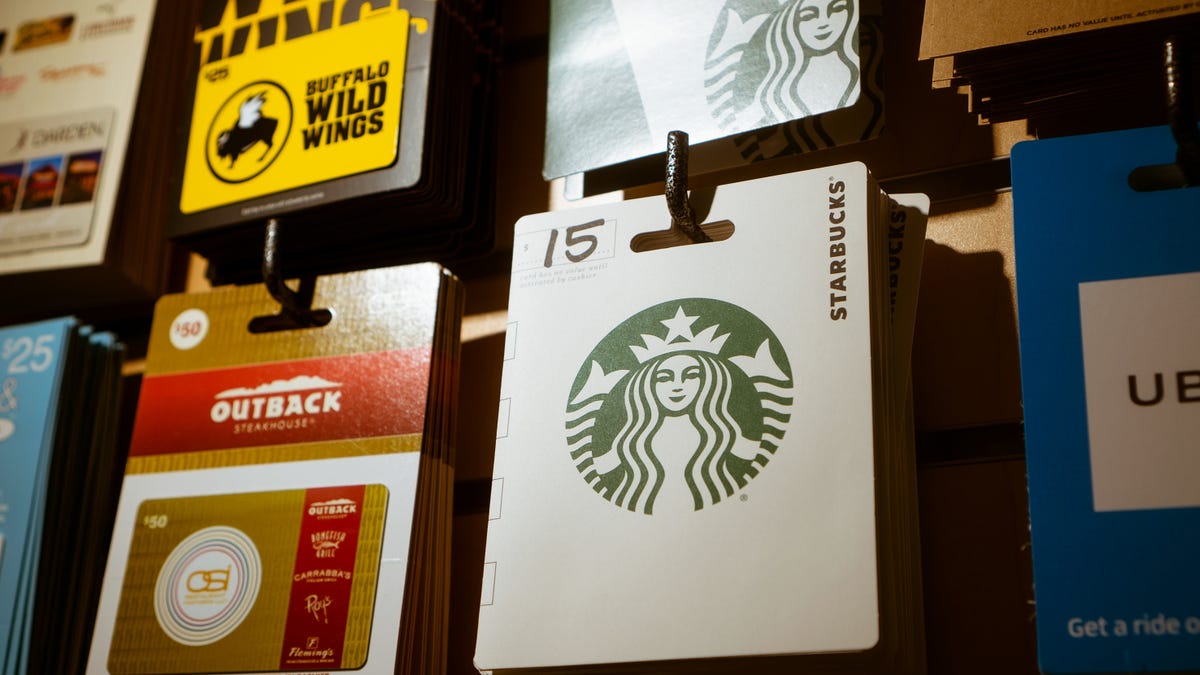
Received another $50 to the Cheesecake Factory this holiday season? Here’s how to exchange it for something you might actually use. As part of its MileagePlus Gift Card exchange program, United Airlines is offering to buy your unwanted gift cards and exchange them for actual award miles through the airline.
Yes, it’s a real program. United will buy gift cards from many major retailers like Best Buy, Starbucks, and Walmart, and those you’ll probably never spend at places like Hot Topic, the Cracker Barrel, and Yankee Candle—basically, any of those gift cards sold in grocery store aisles for people who had no idea what to get you. United will even accept any gift cards to other airlines like American or Southwest.
Exchanging your crappy gift cards with United is pretty easy. If you haven’t already, you’ll also have to set up a MileagePlus account with the airline and fill out an online form with your contact information. Once you’re approved, the account will need to be active for at least 90 days for you to exchange your gift cards, meaning you’ll have to sit tight before receiving your miles. If you already have an account, the process only takes a few minutes.
Next, look up the retailer of your gift card on United’s website to make sure they actually accept it. Assuming they do, enter the value of your gift card on United’s site, and United will then convert that value into award miles. (Don’t worry—you can preview this number before accepting, in case you decide to reconsider.)
Of course, before you accept, you should understand that the conversion rate may not work out in your favor. As the Points Guy’s JT Genter recently noted, the rate of exchange tends to value gift cards at about 26.6 times your balance. In other words, a $50 gift card might earn you something like 1,330 miles. (You’ll likely need a few thousand miles to cover the cost of a one-way ticket.)
Still, as Genter writes, if you have a gift card you might never use or are too ashamed to re-gift, you might as well use it to earn a few miles. And if shaving off the cost of your flight doesn’t seem worth it, here’s our guide to how to make the most of your holiday gift cards when you’re out of options.
Ready to make a clean break with the old year and enjoy some fresh air, exercise, and adventure? State parks across the country are hosting free guided First Day Hikes, and you can find one near you here.
Each hike is led by park staff or volunteers, and depending on location you may find yourself exploring trails in the woods, climbing hills or mountains, or strolling along a lakeside or beach. Some hikes feature guided birdwatching or wildlife watching.
The First Day Hikes website will let you know whether each hike is suitable for children and pets, how far you can expect to go, and what equipment you’ll need. For many of them, you’ll just need to dress for the weather and bring a water bottle and snack.
Whether or not you join an organized hike, the first day of the year is a great time to enjoy some of the pleasures in life that aren’t reflected in our holiday celebrations. Most of us have been hanging out at home, gorging ourselves on wine and cookies, and it can be nice to get outside and stretch your legs (for a reason other than shoveling snow). So consider taking a hike, organized or otherwise.
The UK Cabinet Office just published its latest list of civilian honours that recognise members of the public who are considered to have made a major contribution in fields such as arts, science, medicine, sport or government.
Unfortunately, according to the Guardian newspaper, when the New Year 2020 list was first published, late on the evening of Friday 27 December 2019, it included the home address, work address and full postcode of many the recipients, rather than just the general area where they are based.
The awards include the prestigious Companion of Honour; Knighthoods and Damehoods (awards similar to the US Presidential Medal of Freedom); and a range of other recognitions such as CBE, OBE and MBE – letters that you have probably seen written after the names of famous British people.
Being public awards, the Honours Lists are, of course, a matter of public record, and the full names of the recipients can be downloaded from the UK Government website.
The list usually gives a general idea where each recipient lives, limited to a region (e.g. East Sussex), a city (e.g. Edinburgh) or a postcode district in London (e.g. SW4).
But the Guardian says it was contacted by a reader who downloaded the list shortly after it first appeared, saw full addresses instead of general locations, and realised something was wrong.
The inadvertent leak has caused some consternation in official circles because the award winners include people involved in policing, defence, the judiciary and counter-terrorism.
The good news is that the offending document was replaced online very quickly – apparently within one to two hours – though we don’t yet know how many people downloaded it in its original format.
The Cabinet Office has reported itself to the UK’s data breach authority, the Information Commissioner’s Office (ICO).
The ICO, says the Guardian, has noted that: “In response to reports of a data breach involving the Cabinet Office and the new year honours list, the ICO will be making inquiries.”
Best of LifehackerBest of LifehackerWhether we’ve made a complicated recipe absurdly simple, illustrated how to survive a natural disaster, or explained a political crisis in terms even your great-grandma would understand, these are some of our favorite stories from the past year.
A good condiment can make a meh meal worth eating. When doused or dipped in the right sauce or spread, formerly unappealing foods become tantalizing, and your fridge should be stocked with a few flavorful friends to help make eating more fun. Below you’ll find our favorite dressings, condiments, and sauces of 2019 (a lot of them are butter based).
Best of LifehackerBest of LifehackerWhether we’ve made a complicated recipe absurdly simple, illustrated how to survive a natural disaster, or explained a political crisis in terms even your great-grandma would understand, these are some of our favorite stories from the past year.
Tiny hacks may feel, well, small, but they can change your life in big ways. Here are the best little life hacks we published this year.
by Alicia Adamczyk
You know what feels really good? Underwear that covers your entire ass and you can comfortably wear throughout the day. You know what does not feel good? Ruffles, buttons, clasps, most thongs, underwear that’s shrunken a bit too much in the dryer, etc.
by Claire Lower
Wadded up foil, along with hot water, is rough enough to scrape off stuck on food, but not so abrasive that it will strip off all of your seasoning.
by Beth Skwarecki
When we upgraded from a queen to a king sized bed, I kept my queen sized comforter. It lays perfectly across the bed without hanging over the edge, and at night it belongs only to me. (My husband prefers a light blanket or a sheet.)
by Alice Bradley
Our museum-going styles showed that we were fundamentally incompatible: one of us was fun (if flighty and impatient) and the other one was awful (if intense and deep).
by Nick Douglas
A Starbucks tall is 12 ounces; grande is 16; venti is 20. (The trenta—good lord—is 31 ounces.) You should order none of these. What you should order is a “short.”
by Virginia K. Smith
Being a fashion coward will save you endless wasted hours—and hundreds, if not thousands of wasted dollars—on clothes you never actually liked in the first place.
by David Murphy
Instead of buying the bundle, you’re going to want to first purchase a subscription to Hulu’s no-ads service ($12/month).
by Michelle Woo
If your child has grown out of bibs, and you don’t want to tuck a napkin in his shirt because there’s an 87% chance it will slip out or get soaked through, try this.
by Josh Ocampo
After you’ve successfully covered your first corner, move to the diagonal corner for your second attempt. Fitting the diagonal corner isn’t going to cause the first one to pop free.
by Lisa Rowan
Check your hours worked, deductions for taxes and benefits, and other notations like accrued vacation time. The more you’re familiar with that’s normal on your paycheck, the better you’ll be equipped to call out discrepancies if they pop up.
by Michelle Woo
Tell your kids they can do whatever they’re doing seven (or more) times.
by Lisa Rowan
Get it for just a month when you’re moving and know you’ll need lots of small odds and ends that are often hard to find at stores. Get it for a month when your car is in the shop and getting to the store is harder. Get it for a month when you order holiday gifts!
And then cancel it when you don’t need it anymore.
by Nick Douglas
Who could go a day without putting this savoury spread on bread, toast, savoury biscuits or crackers, and other similar baked products [NB: CHECK IF WIKIPEDIA IS SPELLING SAVORY WRONG OR JUST BRITISH]?
We love this swiveling surge protector from CyberPower. First of all, it attaches straight to the wall, which means no mess on the floor (if you manage your cables correctly.) And it lets you plug in on the side, rather than sticking straight out, you can push furniture right up against it. (Yay, no bended cables.)
Better still, it has two USB ports. And right now, it’s just $12. That’s a bargain, and one of the best deals we’ve ever seen.
If you or someone you know recently upgraded to a larger m.2 SSD (like I have,) you’ll be glad to know that it, like other drives, can be repurposed to be super fast external storage. This Sabrent Tool-Free Enclosure makes the job easy, and let’s you accomplish the task tool-free. Better still, it uses USB-C which means it’s basically future-proof.
Just clip the coupon on the page to drop this particular unit down to just $35.
Got some holiday cash burning a hole in your pocket? Upgrade your kitchenware! Right now, you can get the Calphalon Space-Saving Hard-Anodized 11-Piece Cookware Set for $180 from Woot. This set stacks up perfectly, meaning it will take up less room in your kitchen than a regular cookware set.
Included in this Calphalon 11-Piece Cookware Set is an 8" Diameter Stack, an 8" Fry Pan, a 2.5-Quart Saucepan with Cover, a 10" Diameter Stack (stack with all 10" diameter products), a 10-Inch Fry Pan, a 3-Quart Sauté Pan with Cover, a 5-Quart Dutch Oven with Cover, and a 3-Piece Utensil Set: Solid Spoon, Slotted Spoon, Solid Turner.
I love my stainless steel straws, but they don’t have fancy silicone tips like these discounted ones. This feature makes them more comfortable to drink from.
Regardless, using these straws can be a cheap way to reduce the amount of waste produced and they also make fun sounds when they clink around in my cup.
This set of 12 (6 straight and 6 bent) comes with the aforementioned tips and cleaning brushes, and the whole package is just $9 if you use the code F45O7C9S.
Clearing snow and ice off your windshield is one of the worst parts of winter. If you’re tired of wasting 15 minutes in the morning doing this, don’t do it anymore. You can get a Car Front Windshield Snow Cover for only $12 (50% off) on Amazon when you use promo code KQNBRKSG. You can also get a rear windshield cover (not on sale) for $17. The front cover even protects your mirrors to prevent ice and snow accumulation.
Cubii Pro Under Desk Elliptical (Black and Silver) | $249 | AmazonGraphic: Tercius Bufete
If you can’t find the time to get to the gym every day, this under-desk elliptical lets you squeeze in some light exercise while you procrastinate doing your expense reports. This Cubii Pro Under Desk Elliptical has the added benefit of being able to connect to your smartphone’s fitness apps to keep track of your daily burn.
This price is the lowest we’ve ever seen on this particular unit. However since it’s a Gold Box, this deal ends tonight.
If you need sports bras, now is the best time to stock up. Why do the good ones always cost $60? Thankfully, during Sweaty Betty’s current sale, you can get up to 60% of activewear. That means you can get some sports bras as cheap as $20 and cropped leggings for as low as $31.
Channel your inner Jay Gatsby and get ready to say Old Sport every other sentence, we’re headed into the Roaring ‘20s. What better way to celebrate than to spend all that holiday cash you got by online shopping? You can get 20% off and free shipping on over 47,000 styles during The Roaring ‘20s Sale at Zappos. Just use promo code CELEBRATE19 at checkout to save big!
UGG boots are not ugly, as the nickname might suggest. But they are pricey. If you’ve been eyeing a pair of UGG boots or slippers for a while, now is your chance to see if they’re on sale. The UGG Closet is open. This is when UGG marks down a number of women’s, men’s, and kids styles, for a limited time only. The popular Coquette slipper is included in this sale, and as someone who has had hers for 10+ years, I can attest that these slippers stand the test of time.
You can track the ticker on the top of the UGG Closet website to see when exactly the sale ends (at the time of publishing, there were over 50 hours of the sale left). Typically, this sale is only open for four to six days.
If your plan for 2020 is to get back on that Gym Grind or start a new fitness regimen, good for you! We’re here to support any and all New Year’s resolutions. The most popular one always seems to be fitness-related, which is why we often see a ton of deals related to fitness around this time of year!
2020 is literally days away. If your New Year’s resolution is to focus on yourself, why not put your health at top of that list? Not enough people get the necessary daily dose of vitamins. You can get some daily multivitamins for your whole family while a number of Smartypants Vitamins are marked down on Amazon.
Choose What You Pay Sale (Men’s and Women’s) | EverlanePhoto: Everlane
Everlane’s popular Choose What You Pay Sale is back and styles are being added each day of the sale. You can choose from hundreds of Men’s and Women’s products for 10%, 20%, or 30% off the original price.
You still have three more days to shop this sale. You’ll want to check back for new styles as they are added!
If you’re looking to spend that holiday cash you either earned or were gifted, why not restock your closet? You can get up to 70% off sweaters from Jachs | when you use promo code SWT at checkout. The sweaters are starting at only $26 when you use the coupon.
The Official Overwatch Cookbook is down to a low $18 on Amazon and it promises canon Zenyatta lore, which, has been sorely lacking. With 90 recipes and mouth-watering photos, this would be a perfect coffee table book for your favorite Tracer main.
I, for one, am looking forward to a meaty, GOATs-based recipe and, the likelier, Reinhardt currywurst.
Typically selling for $10 more, this is a great gift for your favorite Moira main.
Driver picks the music food, shotgun shuts their cakehole. Or, better yet, “Hey, see if they’ve got any pie. Bring me some pie. I love me some pie.” If you love Supernatural as much as Dean Winchester loves pie, we’ve got great news for you. You can get save $15 on the Supernatural: The Official Cookbook: Burgers, Pies, and Other Bites from the Road on Amazon. Of course, the book will include burger and fries, Dean’s Pigs ‘N a Poke, pie, and more. We wonder if the Pepperjack Turducken Slammer will be in the book?
You finally don’t have to yell at your kids for spending too much time staring at a screen. In fact, now you can give them an opportunity to play and learn at the same time. Right now, the Kano Star Wars The Force Coding Kit and Kano Disney Frozen 2 Coding Kit are both marked down to (Star Wars is $30, Frozen is $25) on Amazon. Coding is the future. Just know, the tablet is not included.
If you’re still processing Star Wars: The Rise of Skywalker, you can embrace your Star Wars love in another way. Now is the perfect time to stock up on LEGO building sets. Right now, you can get the Battle of Hoth set for only $24 while a bunch of Star Wars LEGO Building Sets are marked down on Amazon.
I’ll be the first to admit, I’m pretty bad at Smash. And if you’re like me and you need a break from the constant fear of falling into a giant hole, pick up the $15 Mario + Rabbids Kingdom Battle game for the Nintendo Switch, if you opt to pick it up in store. Otherwise, it’ll cost you $20. (It’d go great with a fancy Pro Controller, FYI.)
Okay, so is Christmas is technically over. But, for many people, the Christmas season extends well into January. If you’re looking for ways to feel festive this holiday season (or for next year), you’re going to want this Harry Potter: A Hogwarts Christmas Pop-Up (Advent Calendar). It is currently marked down by $20 on Amazon.
This calendar is a little different from the other Harry Potter calendars we’ve opened so far. There aren’t toys inside of each day, instead, there are little ornaments. They can either be hung on the pop-up tree in the book or your actual Christmas tree.
Tech
Home
Lifestyle
Gaming
Deals You May Have Missed
Status Audio headphones aren’t quite the truly wireless kind like Apple’s AirPods, but if you can live with one small wire connecting the two buds, you can save a ton of money on them. Today, Status Audio is taking 50% off the Structure and Transfer headphones when you use our exclusive coupon code INVENTORY50.
Portable SSDs can give you massive amounts of storage that transfers insanely quickly. Lexar’s 500GB external is down to an all-time low price of $80, making it an excellent addition to your gear bag.
If you like to pack lunch, instead of dropping $10-15 a day on it, you’re in luck. You can get a Lifewit Large Insulated Lunch Box for only $9 when you clip the coupon code on the page and the code ZW2D8WKJ at checkout. This lunch box can fit your entire lunch, plus a couple of snacks to help you last through the workday. Or, if you need a mini cooler for a tailgate or party, this insulated lunch box can fit 12 cans or six tall bottles.
If you’re planning to work extra hard at the gym in 2020, your muscles are going to ache. Give your tired and sore muscles a bit of TLC when you buy this Deep Tissue Handheld Massage Gun. It is marked down to $107 on Daily Steals when you use promo code KJMGN at checkout. The deep tissue handheld massage gun comes with six interchangeable heads, to give you a wide variety of massage types to choose from post-workout.
The weather is about to get frigid. Don’t let yourself freeze just because someone else doesn’t like to touch their thermostat. Get a NEXGADGET Personal Space Heater for $16 when you use promo code NEXGADGET05. It heats up in seconds, has three heating modes, and even has overheating protection.
It is time to put away your fall bedding and buy yourself a giant comforter to prepare for the “polar coaster” winter we’re going to have. Crane & Canopy has an assortment of fun patterns available during their Winter Mega Sale. You can snag some items for up to 60% off during the sale. The Crane & Canopy Winter Mega Sale runs now until January 5, 2020. The discount will automatically be applied in cart, no coupon code required.
An Echo Dot normally costs $50, but that price is for suckers. The Dot itself is frequently on sale, but this bundle with two Philips Hue bulbs is even better. For $35, not only do you get the Dot for cheaper, but you get a couple of white bulbs to add to your smart home for your trouble.
Setting up a smart home from scratch can take a lot more gear than you might expect. Fortunately, this bundle of gadgets can get you started for just $130. It comes with a Nest Learning Thermostat E, a pair of smart plugs that you can connect any non-smart device to, and a Nest Mini smart speaker to control them all. There will always be more to add to your smart home, but this should be enough to get your feet wet.
The end of 2019 has been truly wild. Whether the year treated you horribly or amazing, going away on a cruise is always a good way to celebrate a new year. Leave 2019 in the past and start 2020 off on the right foot by booking a vacation. You can go on a 4-Night Bahamas Cruise starting out at $199 on Norwegian Sky. And the best part? It has a free open bar. Plus, it has free shore excursions, free WiFi, and more.
The prices on this cruise vacation package are per person and vary based on length of stay (between two to 10 days), the port of departure, and more. You can leave from New York, Orlando, Miami. Transportation to the port of departure is not included in the cost.
These prices are available now through December 31, 2019. Get that trip before the decade ends!
If you haven’t bought new shoes for the winter, Keen’s sale is a great time to do so. The company makes an array of shoes and other footwear that are built to last. Today, you can take 20% off across the entire site by heading to this link.
Anker’s 13,000 mAh PowerCore power bank—now $21—has enough juice to top up your phone multiple times without breaking a sweat. And Anker’s ultrafast charging blocks—down to $24, in your choice of black or white—can fast charge phones from Apple, Samsung, Google, and plenty more. Taken together, they can ensure you’re never in the red.
If you’re looking to power a bunch of devices at once, you’re in luck. This RAVPower 60W 6-Port Charging Station is only $15 when you clip the $2 coupon and use promo code KINJAM28. It has six fast-charging ports to simultaneously charge phones, tablets, or a combination of both. It has a 60W power supply to charge your devices at full speed.
Private Internet Access has long been our readers’ favorite VPN service thanks to its low prices, its speed, and its excellent apps for every major platform. And now with the news of the NordVPN hack, they’re offering the best price we’ve ever seen on an annual subscription: $29 for the whole year. That’s $10 less than it’s been previously, and the best part is that your subscription will renew every year at the same $29 price, as long as you don’t cancel.
















_in_1935.jpg)